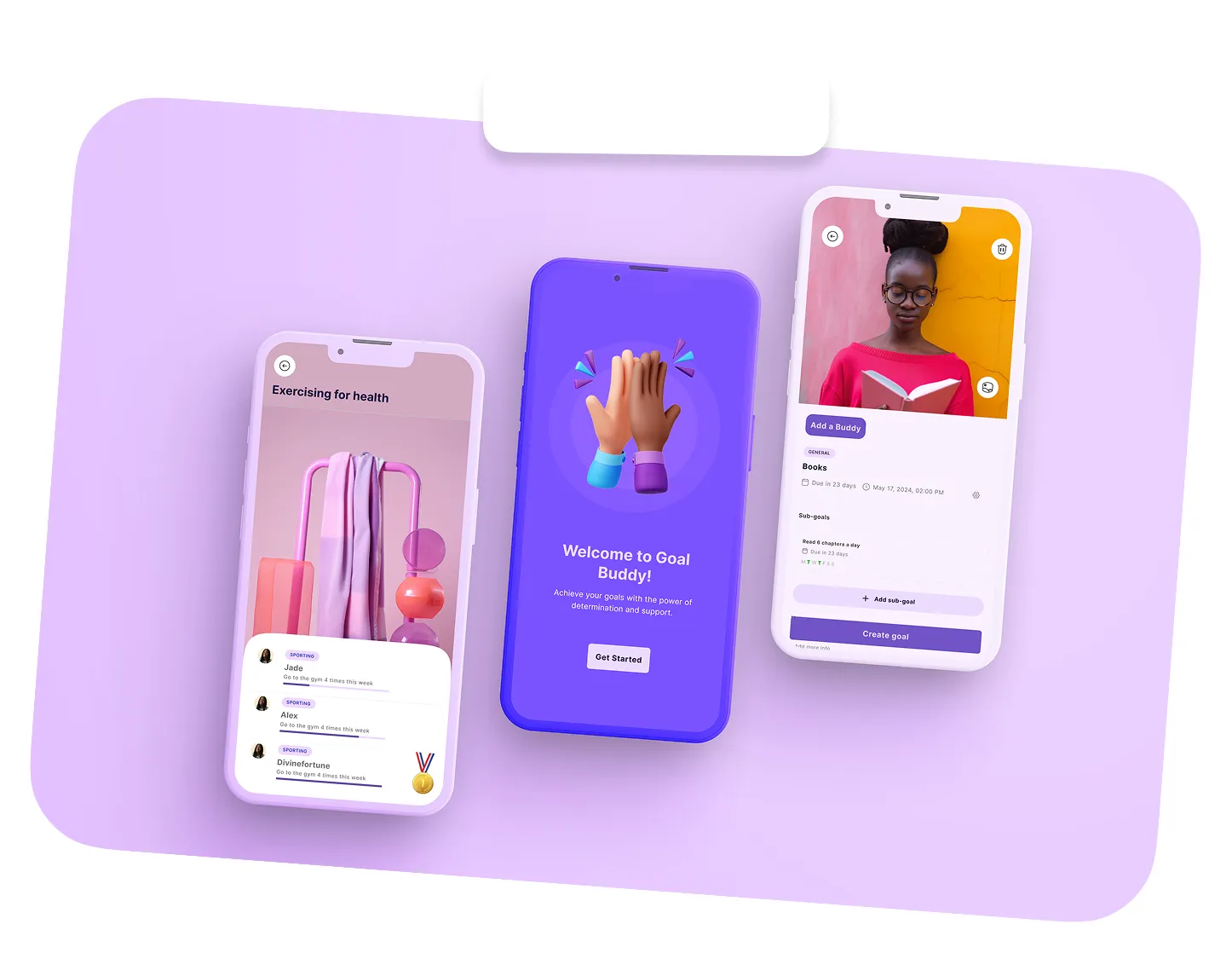
Hi, I'm Divinefortune A Product Designer

I design calm interfaces for complicated products. Turning complexity into intuitive experiences people actually enjoy using.

0 → 1 flows, end to end Product Design React, ships to prod Frontend motion & interaction Prototyping tokens, components, docs Design Systems vision & roadmaps Strategy testing & synthesis User Research

My work spans UX/UI, design systems, visual direction, and AI-assisted development, transforming complex problems into products that are intuitive, scalable, and commercially effective.

Selected Projects
Skills And Tools
Tools

Figma, Figjam, Notion

Here, ideas are explored, challenged and tested to go from rough thinking to clear direction. From flows, edge cases, early structures, to constraints and possibilities, they all happen here.

Bonuses

HTML, CSS, JavaScript, and AI Familiarity in Design Workflows

Who doesn't like a designer with a developer mindset?
I move from design thinking in Figma through HTML, CSS, and JavaScript, learning frontend frameworks while integrating AI into design workflows with empathy for developers and collaborate smoothly across cross-functional teams.

AI UX User-Centered Thinking UX Research Problem Framing Product Strategy Business-Aware Design Information Architecture Prototyping & Validation Systems Thinking
My Design Philosophy
01

Always start with the “WHY”

A lot of people can build products. Very few can clearly
explain why those products should exist.
I’m intentional about my work, I don’t design anything unless I
can justify the real need behind it.

02

Practice Empathy

Everyone experiences the world differently. We all see, think,
and perceive things in our own way.
As a designer, my responsibility is to represent those
differences, and to speak up for users in the decisions that
shape their experiences while building the business goals.

03

Be fair and responsible

It wasn’t until I started writing and reflecting deeply especially
on Medium, about how design influences behavior and
perception that I truly grasped the power visuals hold. That
realization shaped how I see my role as a designer: not just
to make things look good, but to be intentional, responsible,
and aware of how every design choice can influence how
people think, feel, and interact with the world.

What Collaborators Say

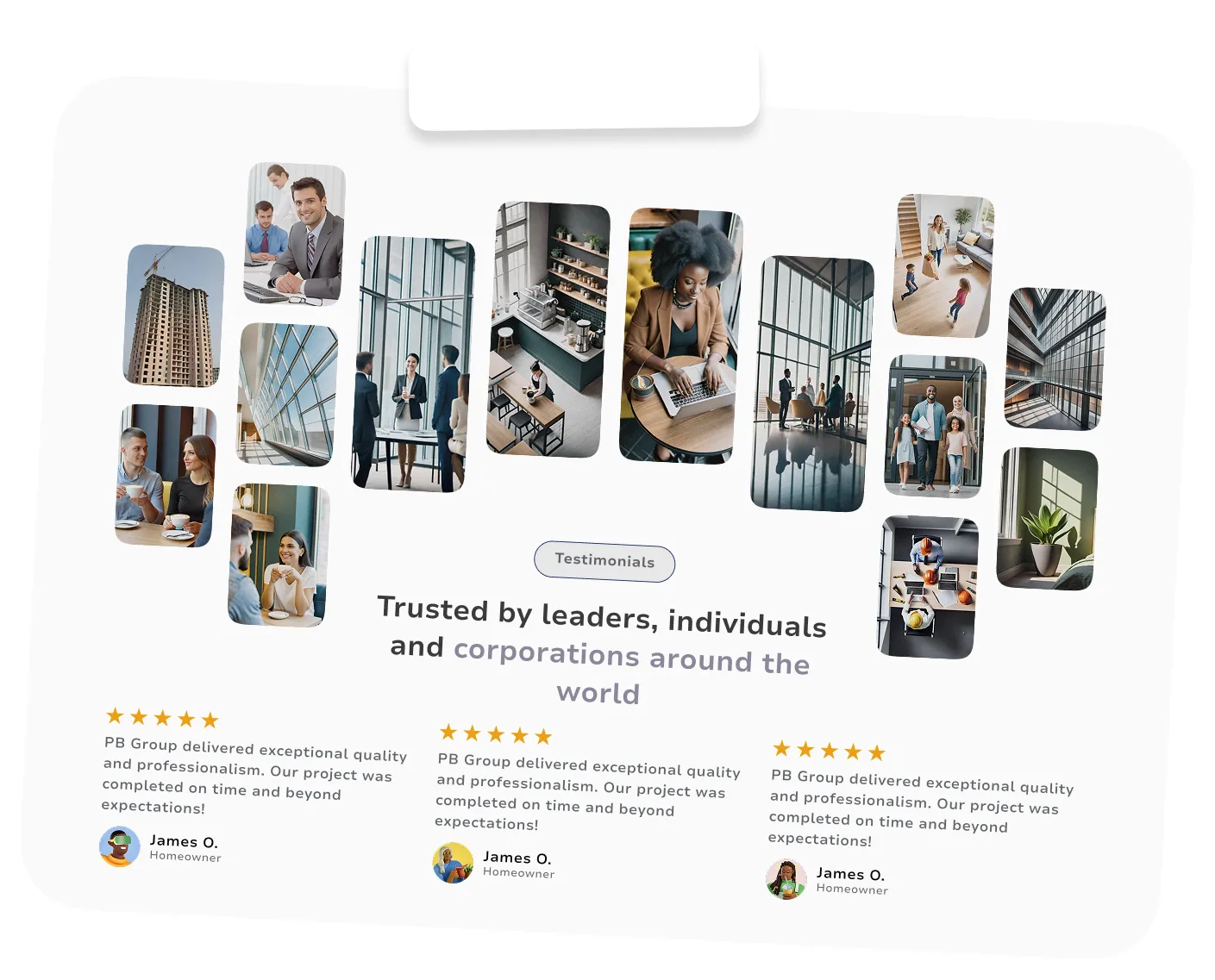
I worked with Divinefortune on a client’s AI-powered beauty web app project, and the experience was very smooth. She was reliable, communicative, and paid close attention to detail throughout the project. The platform involved beauty analysis, personalised makeup recommendations, and user-focused web app flows, and Divinefortune handled her responsibilities with professionalism and creativity.

She was proactive with feedback, easy to collaborate with, and always willing to improve the final outcome. I’d definitely recommend her to anyone looking for someone dedicated and pleasant to work with.

Anita Lever Upwork Freelancer

I worked with Divinefortune on several projects, including an AI-powered dental web application that detects dental issues and recommends available dentists, and she consistently proved to be an exceptional team member.

She was highly proactive, brought innovative ideas to the table, and played a key role in keeping the team motivated and on track to meet deadlines ahead of schedule. Divinefortune took ownership of her responsibilities, maintained high standards, and wasn’t afraid to hold the team accountable when needed to ensure we delivered our best work.

She’s reliable, collaborative, and genuinely committed to achieving great results, and I’d confidently recommend her to any team or organization.

Patricia Adodunwa Digital Marketer, Niche CX

Hello. I’m Divinefortune

Portrait of Divinefortune

I’m a product designer who’s spent the past few years building and shipping products across startups, freelance projects, and growing teams. I didn’t start in design straight away, I came in from a background that trained me to think structurally and intentionally, and that still shows in how I approach problems today. I naturally zoom out to understand the whole system, then zoom back in to shape the details that make it work.

A lot of my growth has come from working independently. I’ve taken projects from idea to execution on my own, which pushed me to learn motion, product design, and how to take real ownership of outcomes. That experience made me both self-driven and comfortable making decisions, while still being thoughtful about trade-offs.

I’m deeply curious by nature. I enjoy sitting with complex problems, asking “why” until things make sense, and designing solutions that feel both logical and human. I’m always learning, whether that’s exploring new tools, refining my thinking, or challenging my own assumptions.

I’ve collaborated with people across different countries and cultures, and that’s shaped how I communicate and work with teams. I value spaces where people feel safe to speak up, and I tend to communicate openly and clearly to keep everyone aligned.

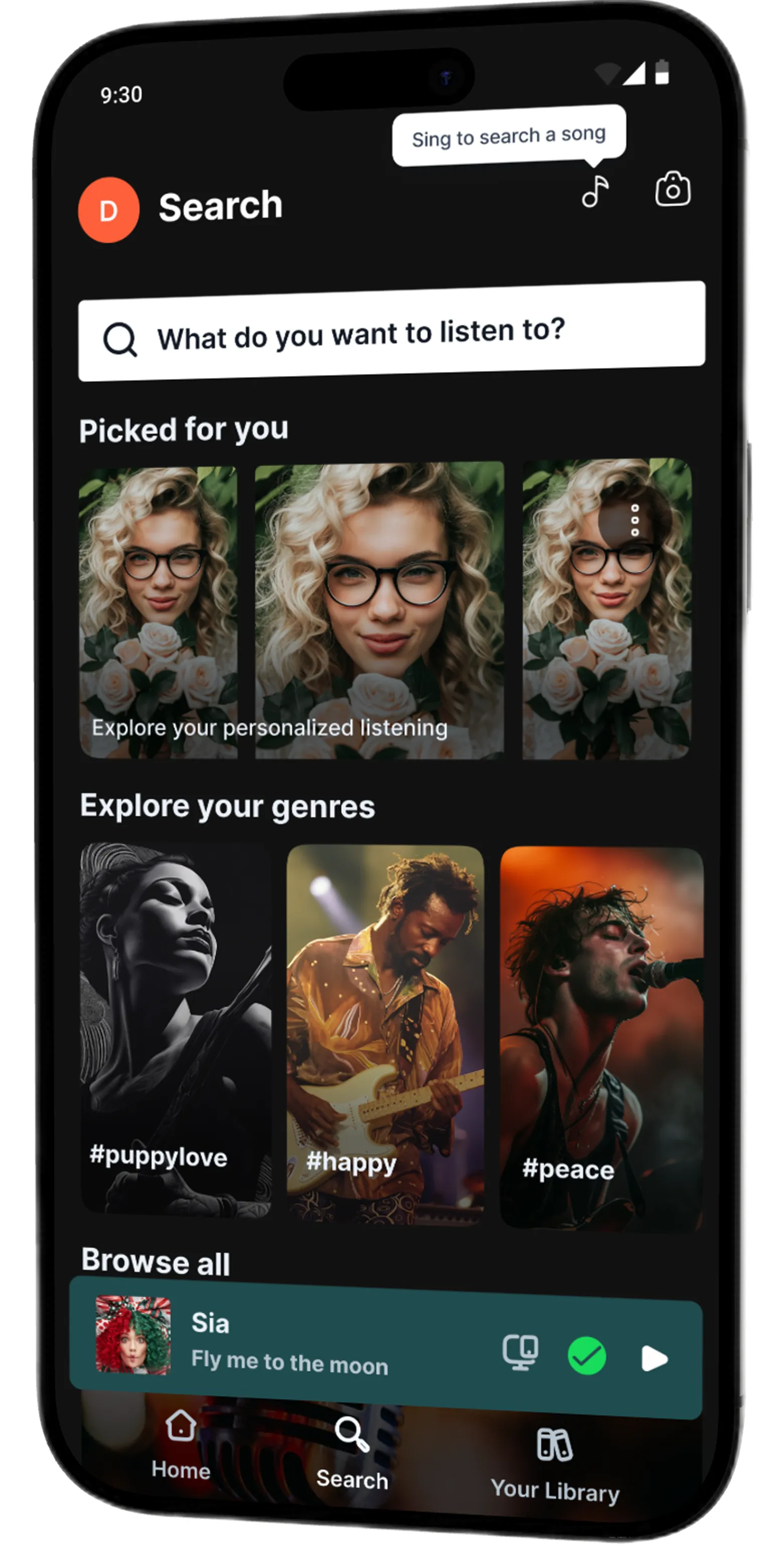
Hum It, Find It: Designing a Voice-Activated Search for Spotify.

Team
Divinefortune
My Role
Solo designer
UX & UI Design
Design system
UX Research
Timeline
October - November 2025
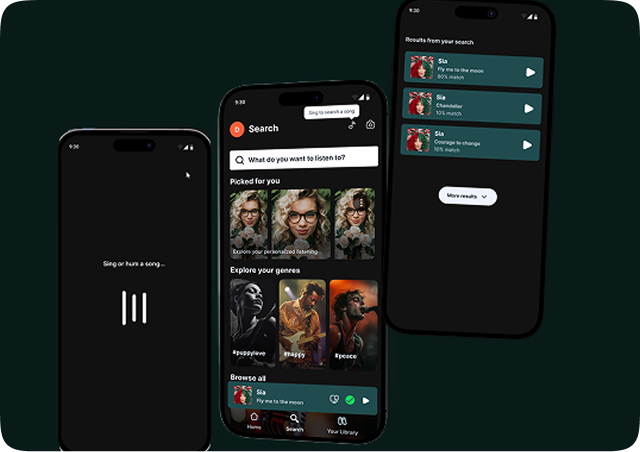
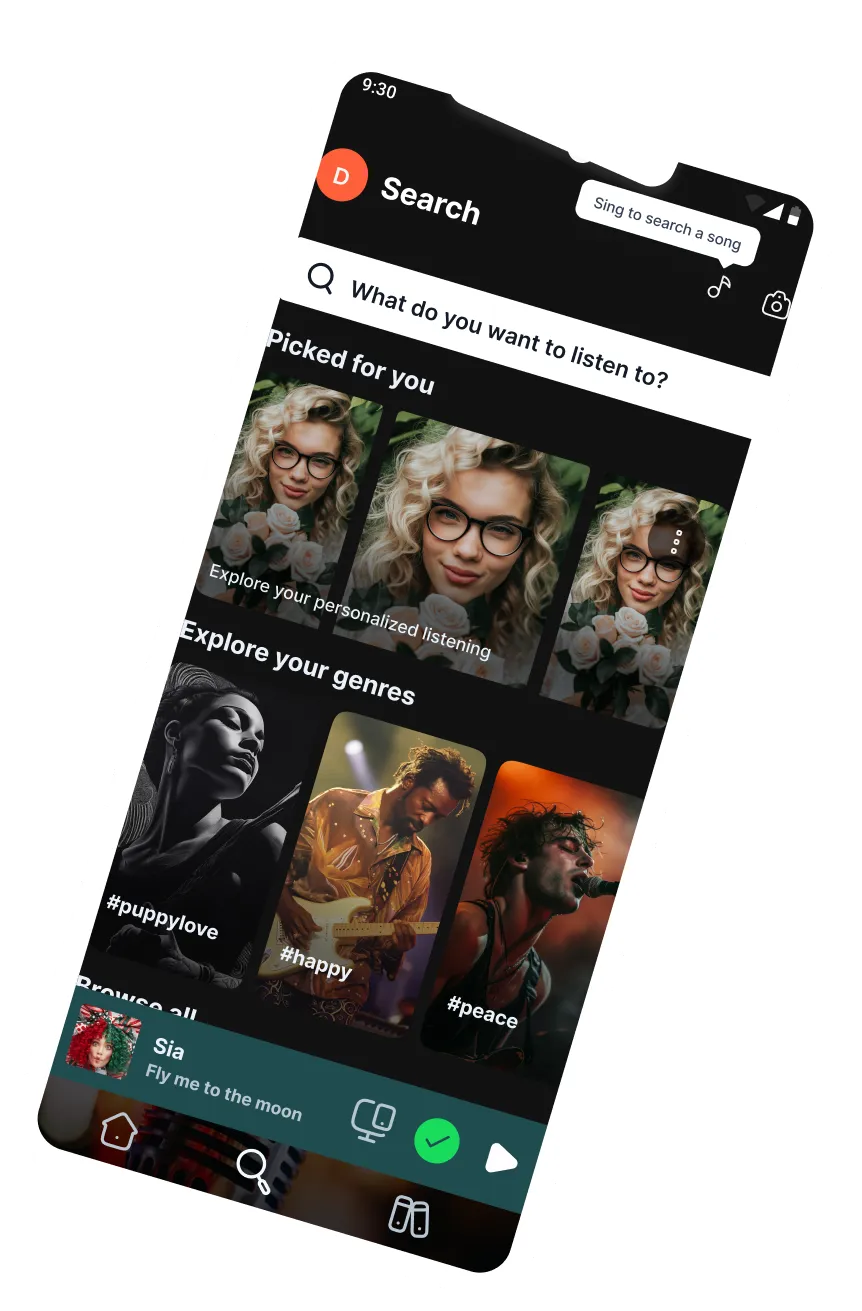
Spotify search screen showing personalized picks, genres and a voice-search prompt
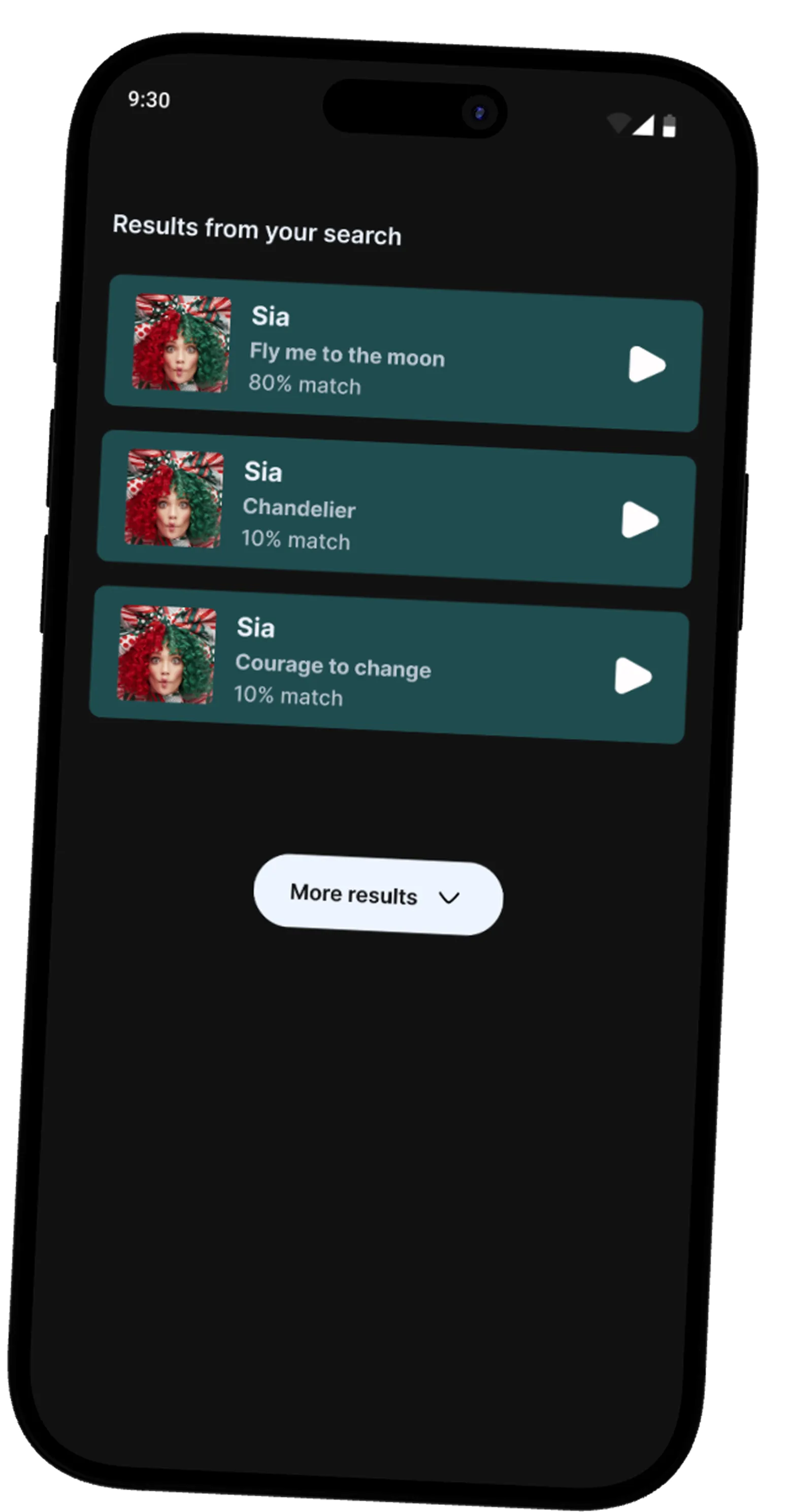
Spotify results screen showing three matched songs by Sia after a hum-to-search
Search Hum To Search Get Your Result

Hum It, Find It: Designing a Voice-Activated Search for Spotify.

Full story

1

Overview

Spotify, a globally renowned music streaming platform, has continually innovated to offer users seamless access to their favorite music. However, one challenge many users face is recalling song titles when only a melody or lyrics are in their memory. To address this, I propose a new feature: Voice-Activated Song Search
users can hum or sing a song's melody or lyrics, and Spotify will match it to the correct song.

2

Proposed Solution

The Voice-Activated Song Search feature allows users to hum or sing part of a song directly into the Spotify app. Leveraging machine learning and sound recognition algorithms Spotify will then generate a list of songs matching the input. This user-centric feature bridges the gap between the user's memory and Spotify's vast music library, creating an intuitive and accessible search experience.

3

Key Benefits For The User

  1. Ease of Discovery: This feature reduces friction by allowing users to find songs based on auditory input, making the search process smoother and more intuitive.
  2. Inclusivity: Users who struggle with typing, spelling, or are unsure of song titles can use this feature to engage more easily with the app.
  3. Enhanced Engagement: By offering a new way to interact with the app, users will spend less time frustrated and more time enjoying their music, increasing overall satisfaction and app loyalty.
  4. Time Saving: Instead of sifting through search results or external searches, users will get more accurate suggestions quickly, improving the speed and efficiency of finding forgotten tracks.
4

The Problem

Users frequently experience moments where they remember the melody or a fragment of a song's lyrics but can't recall the song title or artist. This friction interrupts the user journey, requiring external searches or leaving users frustrated and disengaged. Current search functions, which rely heavily on text-based inputs, limit users' ability to retrieve forgotten songs.
5

Key Benefits For The User

  1. Seamless Integration Users can activate the feature via voice command or a button on the search screen. After humming or singing a snippet, they'll receive an accurate list of song matches.
  2. Personalisation: By understanding user behavior patterns, Spotify's algorithm can prioritize familiar songs or artists, further personalizing the results.
  3. Emotional Connection: Music often has deep emotional resonance. By providing a fast way to recover those half-forgotten melodies, the app builds stronger emotional connections with users.
  4. Accessibility This feature provides an alternative input method, making the app more accessible for a broader audience, including those with motor disabilities or cognitive impairments who may find traditional search methods cumbersome.
The Solution

Search, Loading and Results

The following screens show the different interactions and screens a users uses to get their optimal results based on the humming, singing and finally a result for what matches their voice-activated search

Spotify results screen mockup

Results

This results page builds trust and confidence by showing users how closely their input matches real songs, reducing uncertainty and frustration. By ranking results with clear match percentages and instant playback, it turns an imperfect action like humming or singing into a rewarding, transparent, and intuitive discovery experience.

Loading

The loading state communicates progress and reassures users that the system is actively listening and processing their input, reducing anxiety during the wait. By visually chaining “listening” and “processing” into a single flow, the experience feels faster, clearer, and more intentional before results appear.

Conclusion

By introducing a Voice-Activated Song Search feature, Spotify enhances the user experience by offering a novel, user-friendly way to find music. This innovation aligns with Spotify's mission to create an unparalleled listening experience, bringing users closer to the songs they love with less effort.

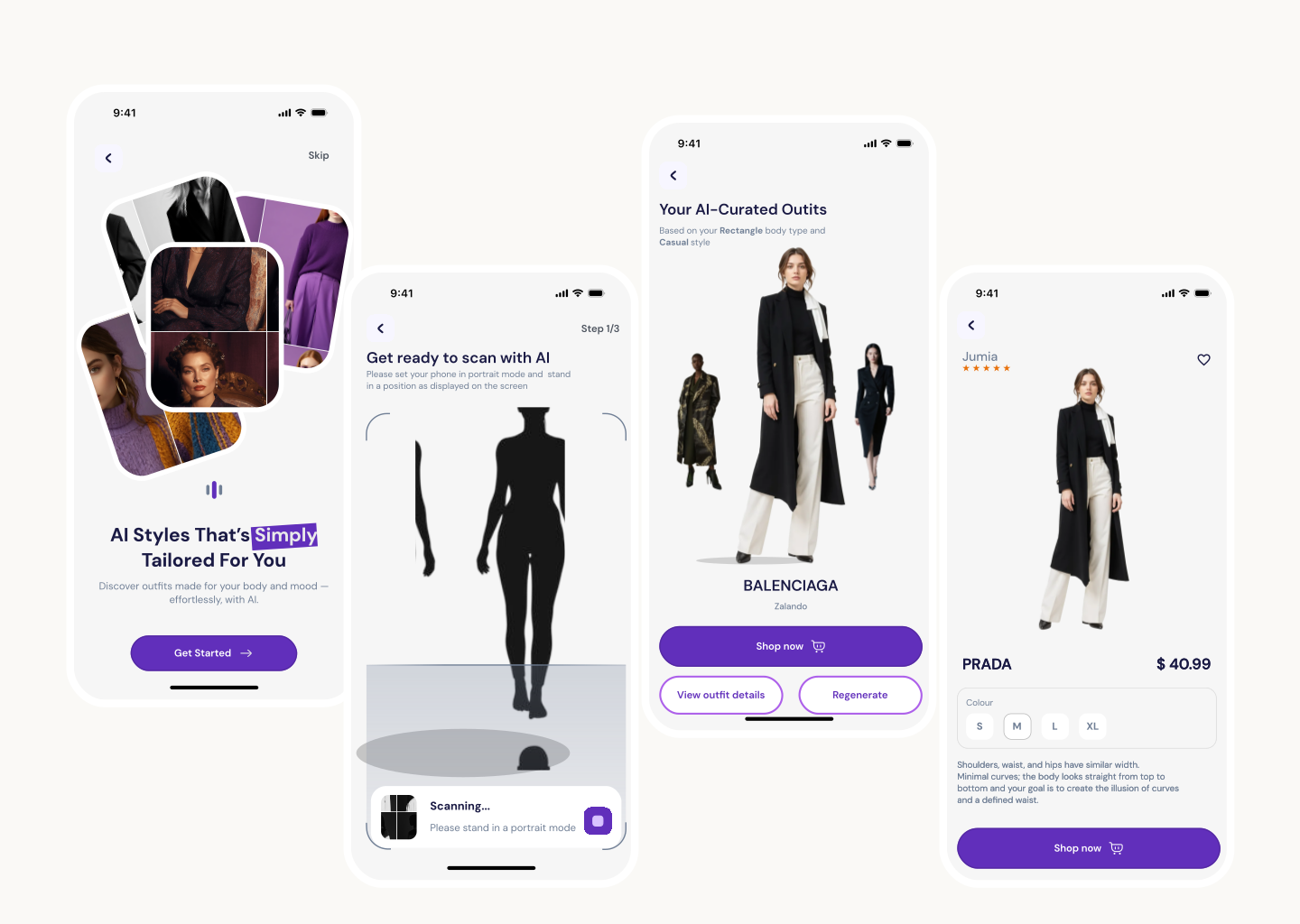
Reducing online shopping using AI body-type recognition

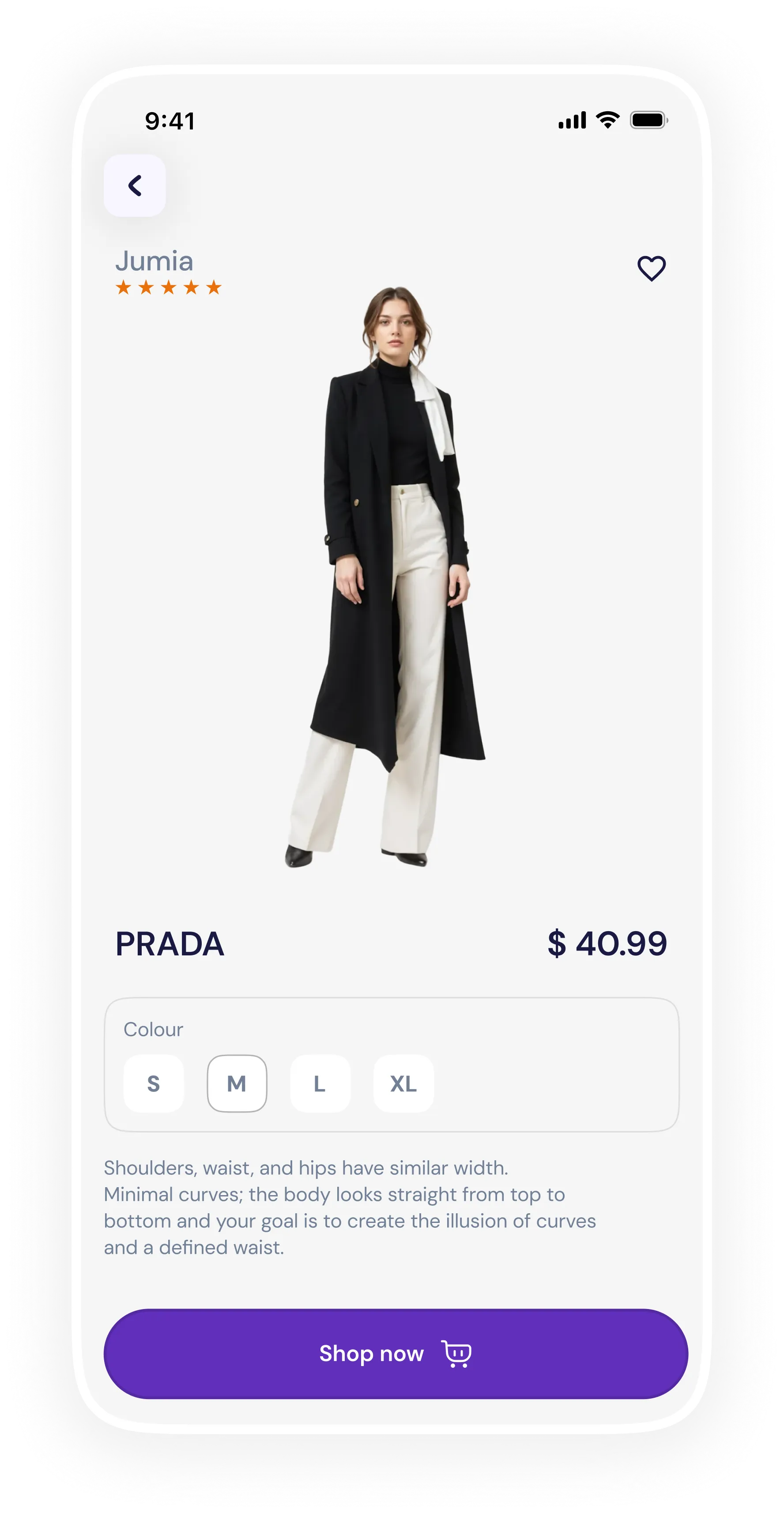
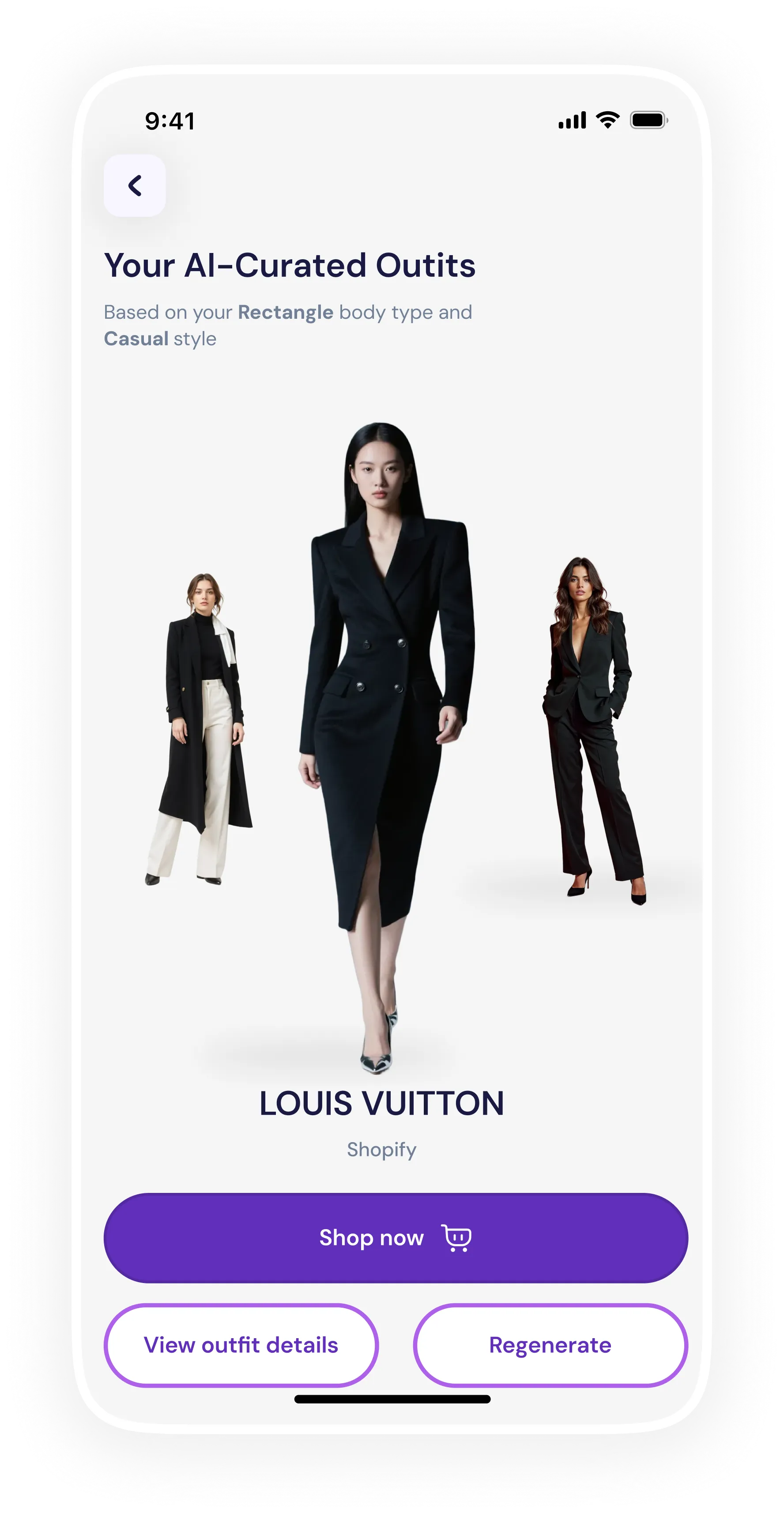
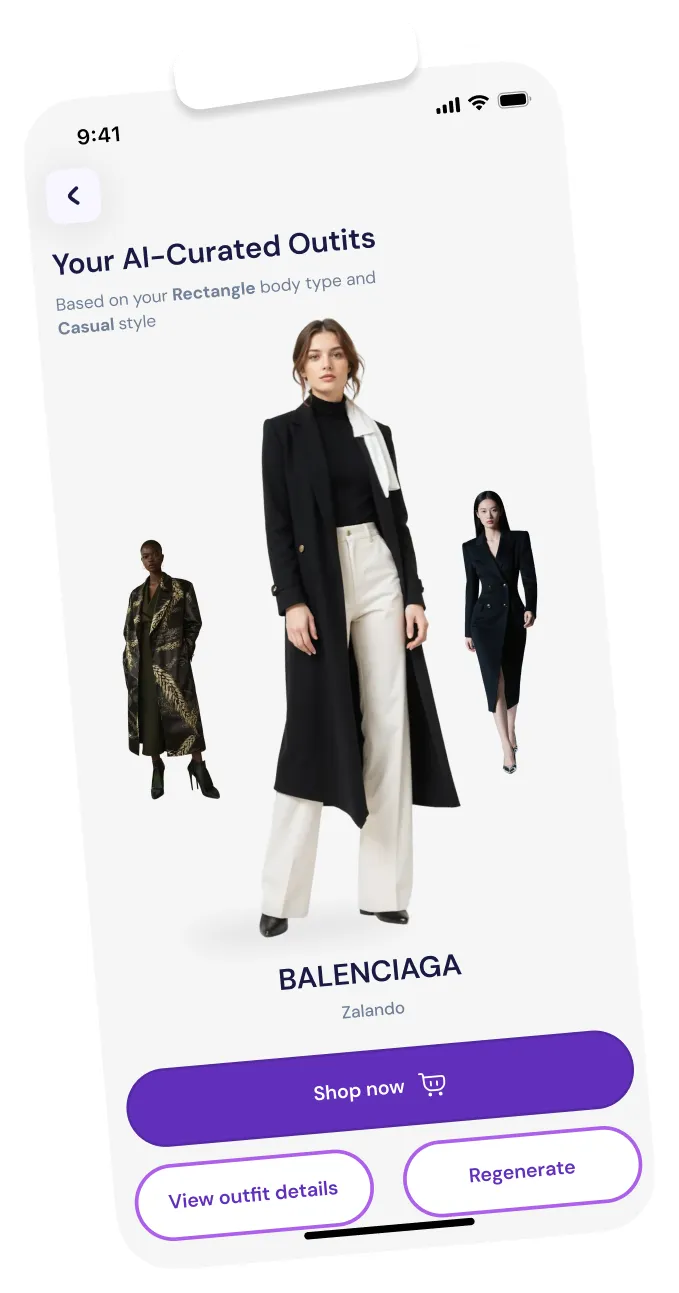
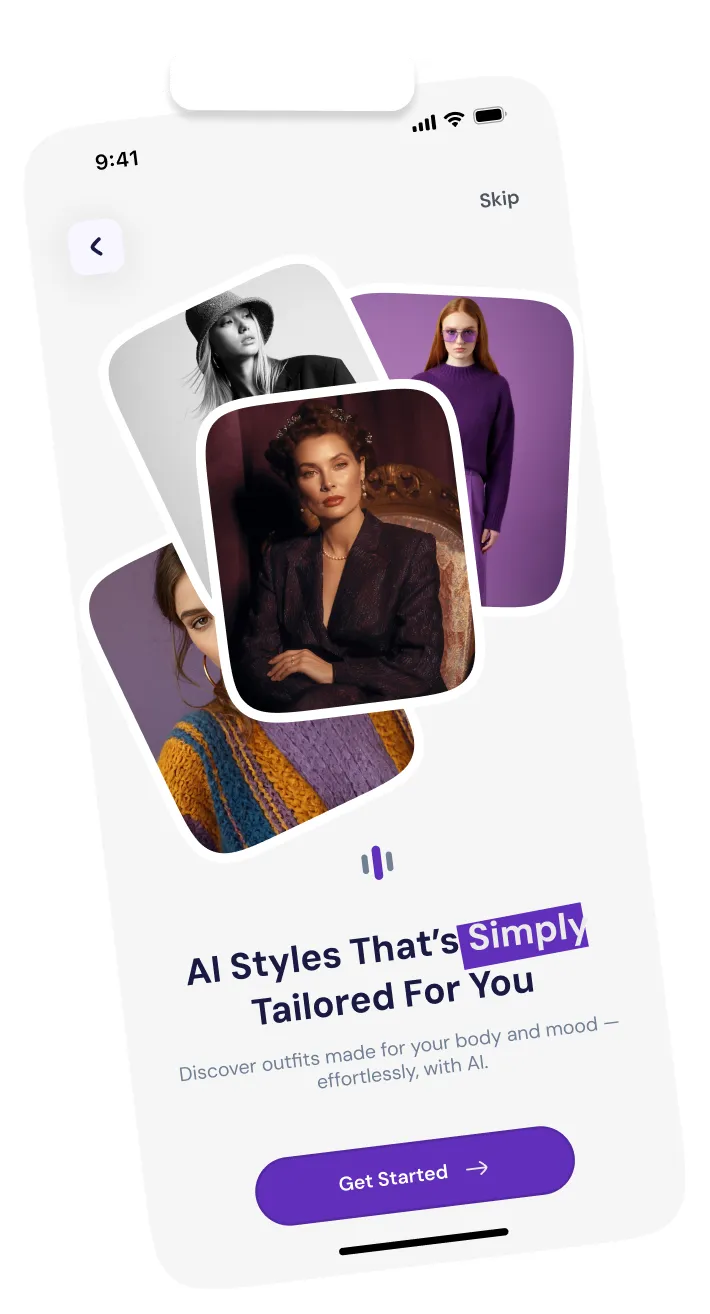
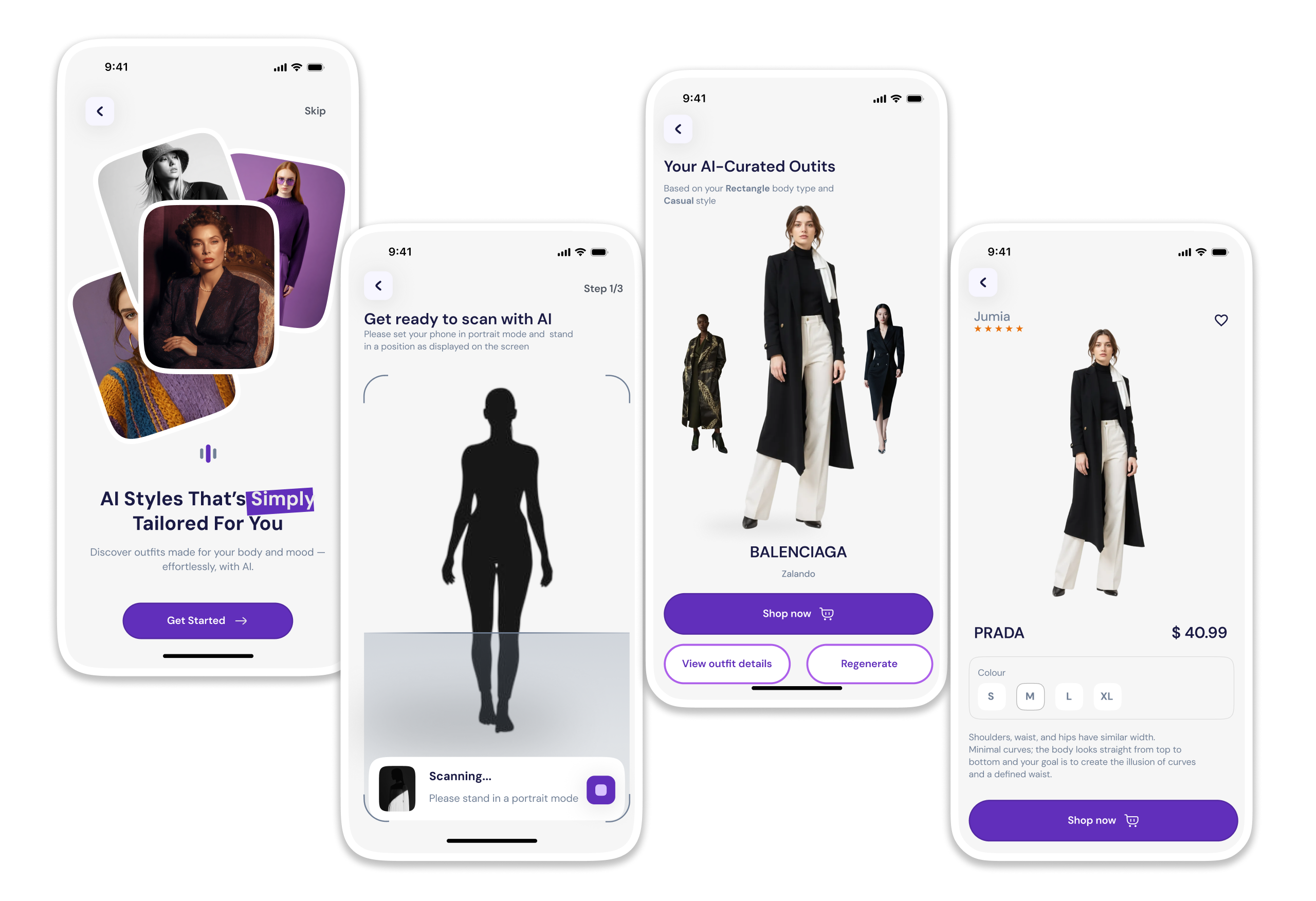
Fashion app concept shown across four iPhone screens: an AI body scan in progress, a rectangle body-type result with styling goal, and AI-curated outfits from brands like Prada and Balenciaga
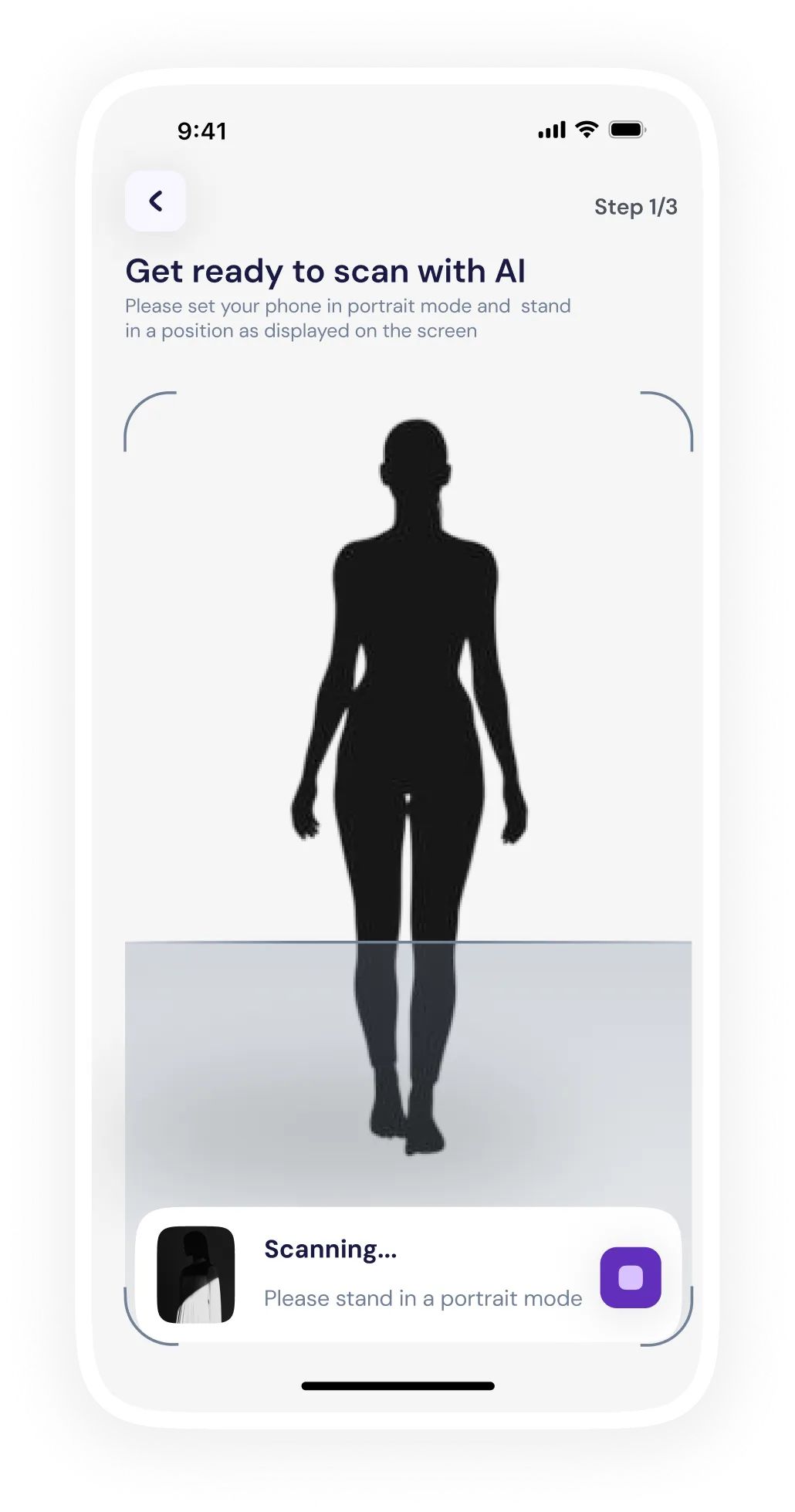
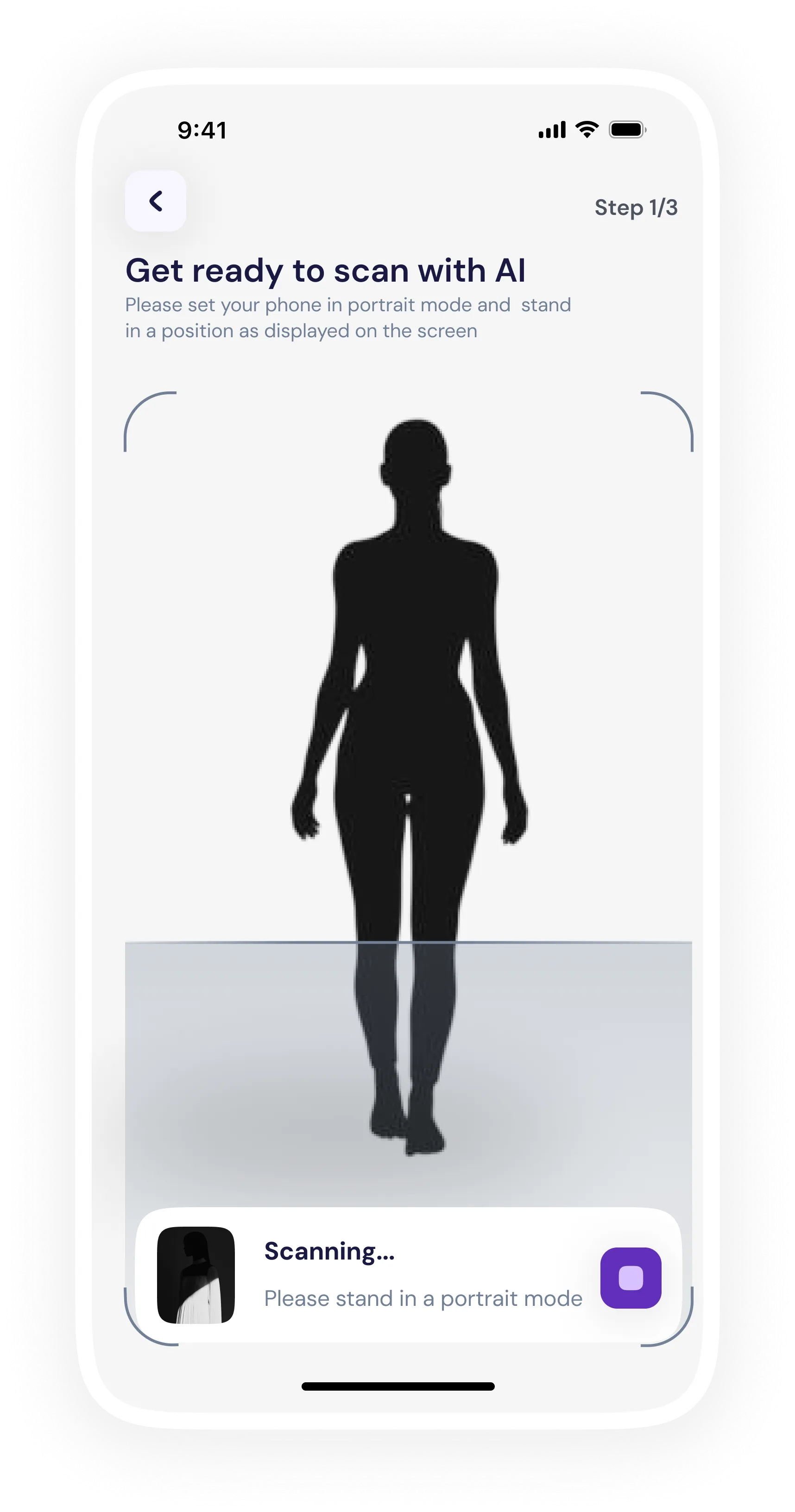
Get ready to scan with AI
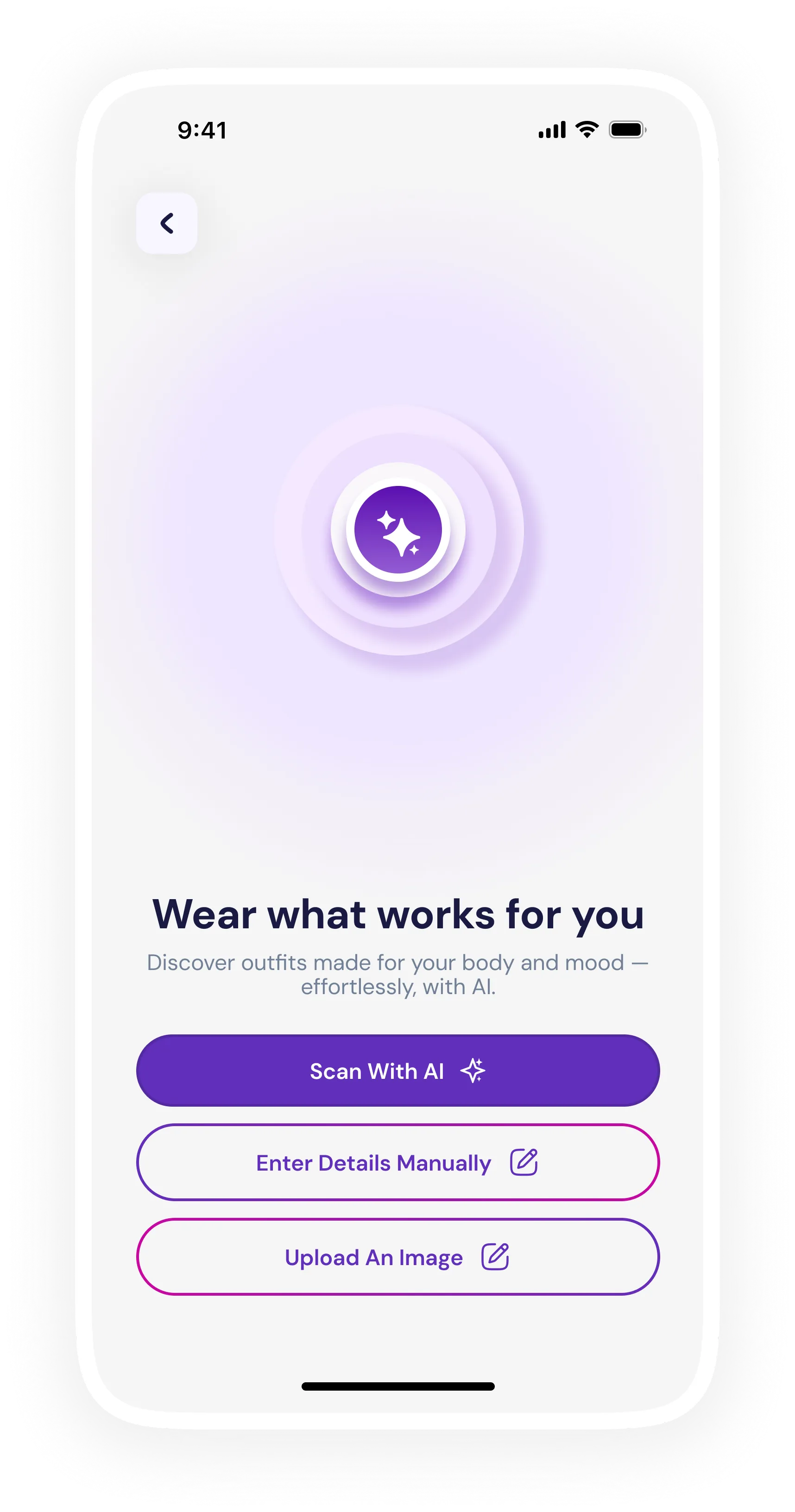
Wear what works for you
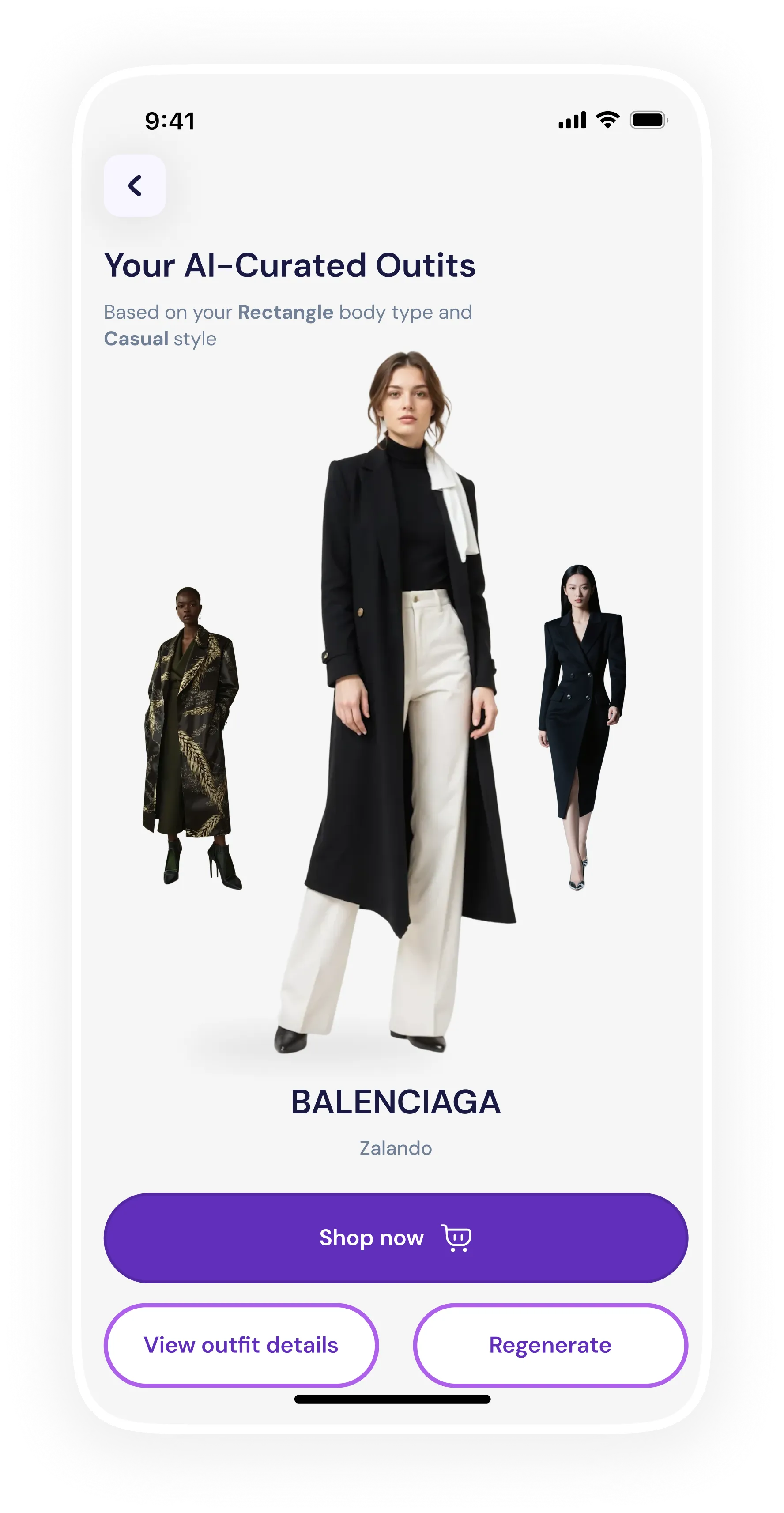
AI-curated outfit
AI-curated outfit
AI-curated outfit, Louis Vuitton
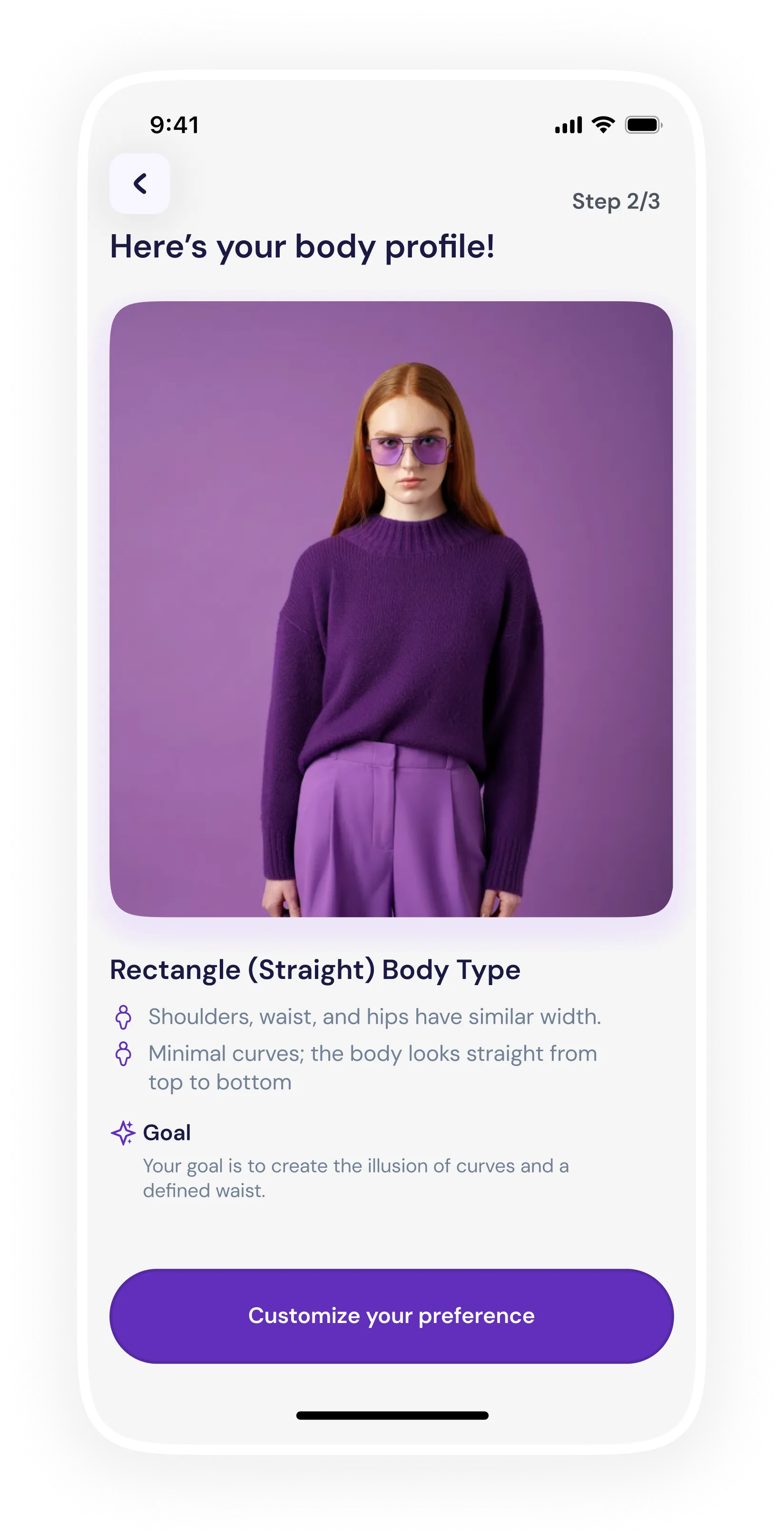
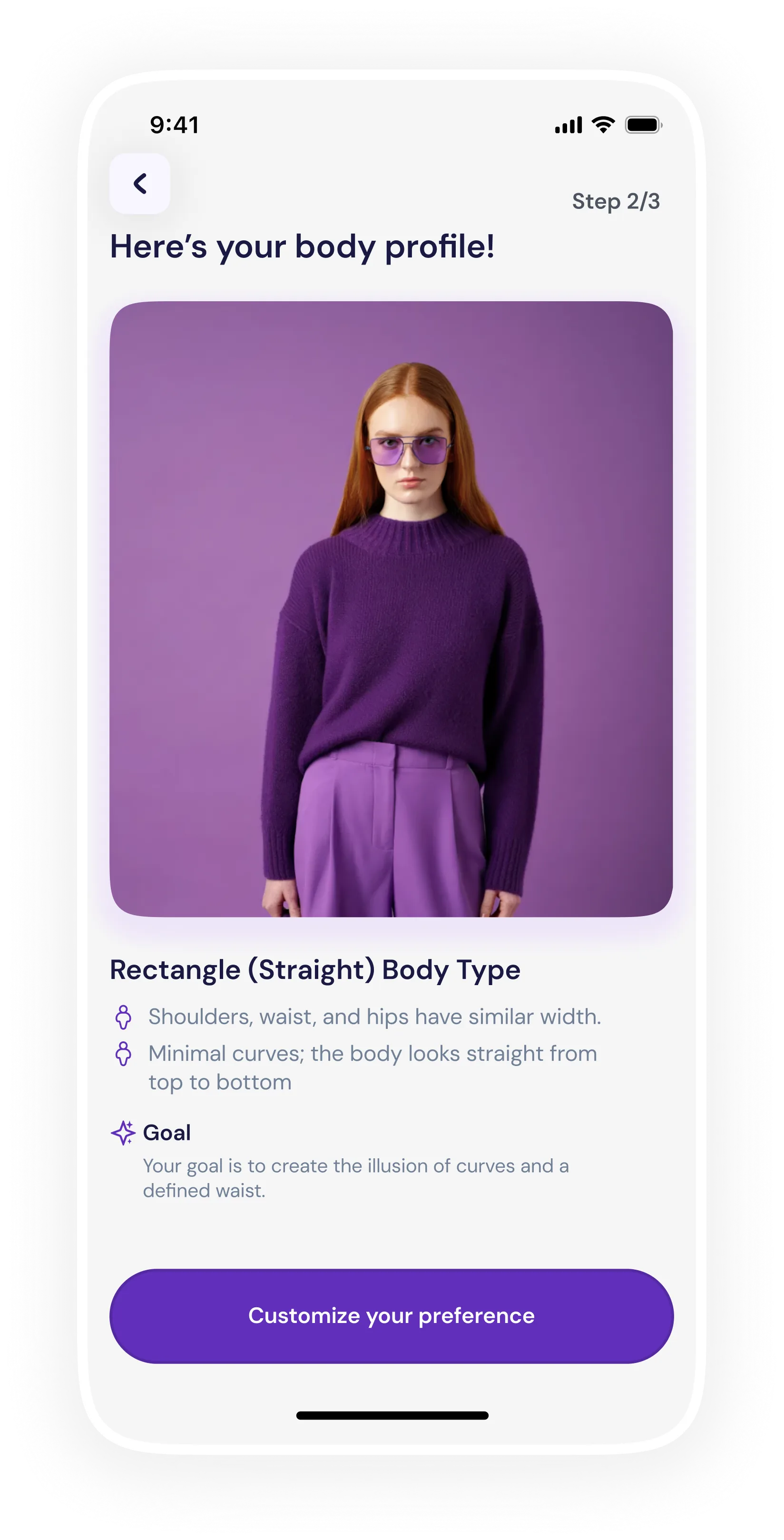
Here's your body profile
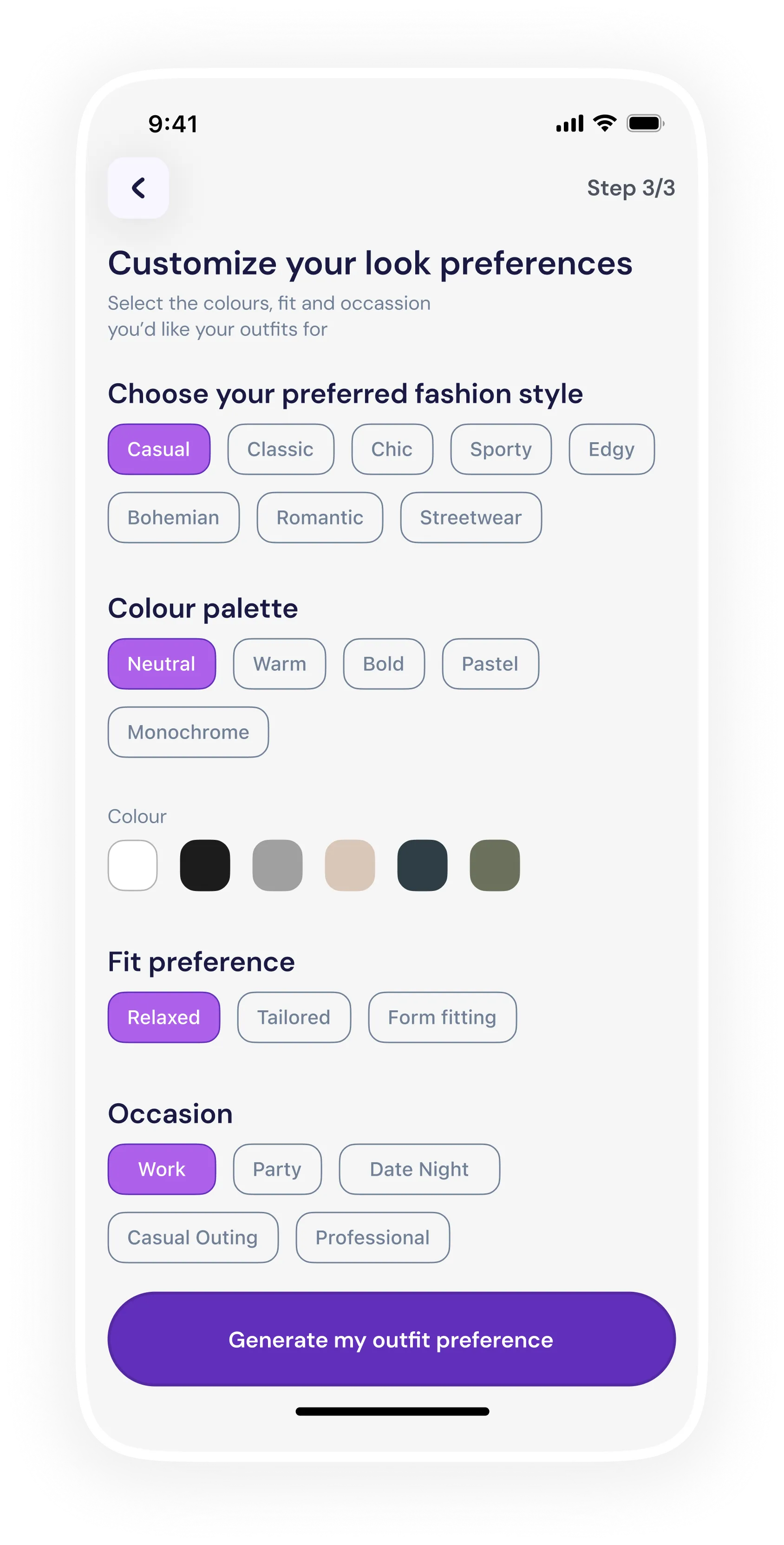
Customize your look preferences
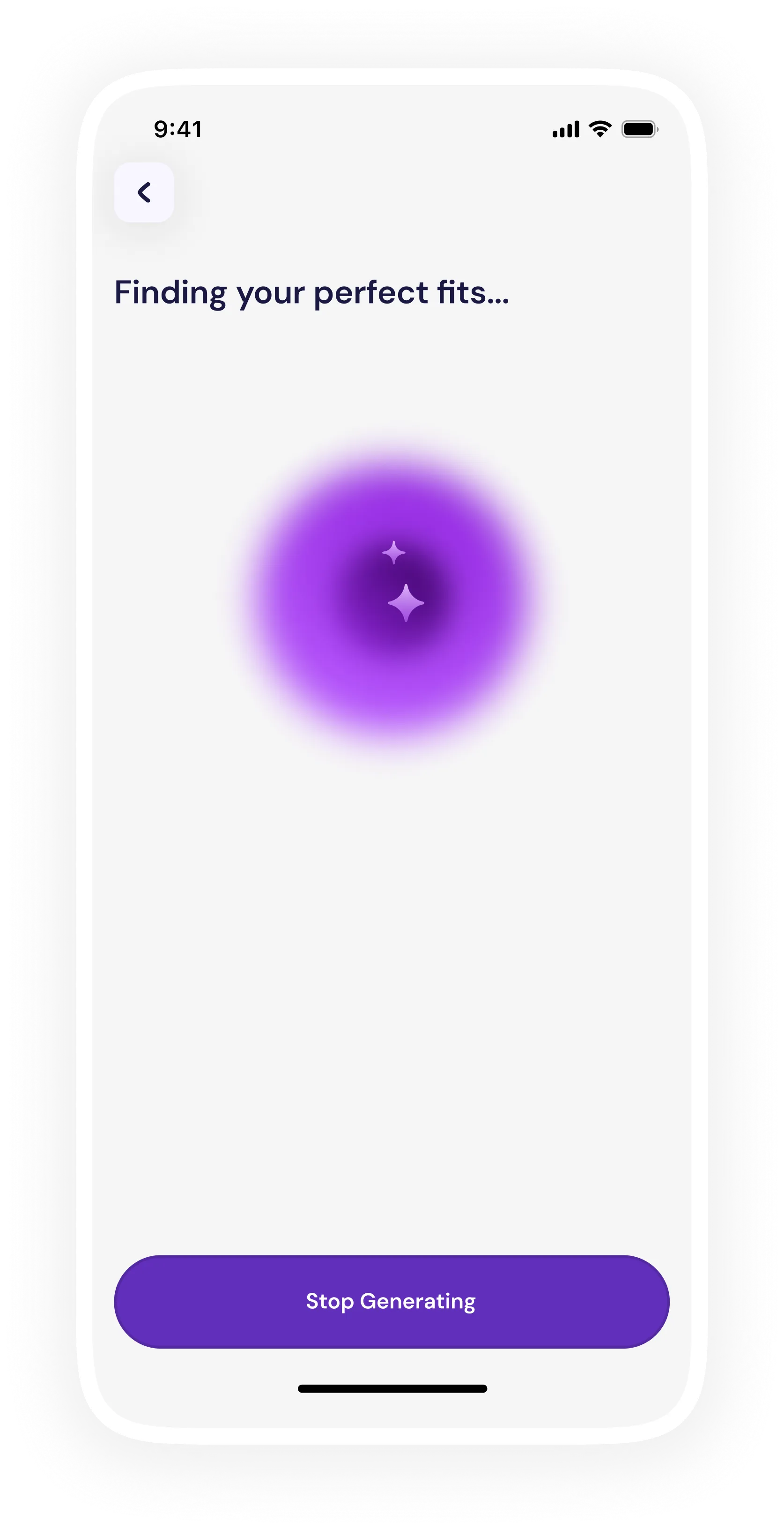
Finding your perfect fits
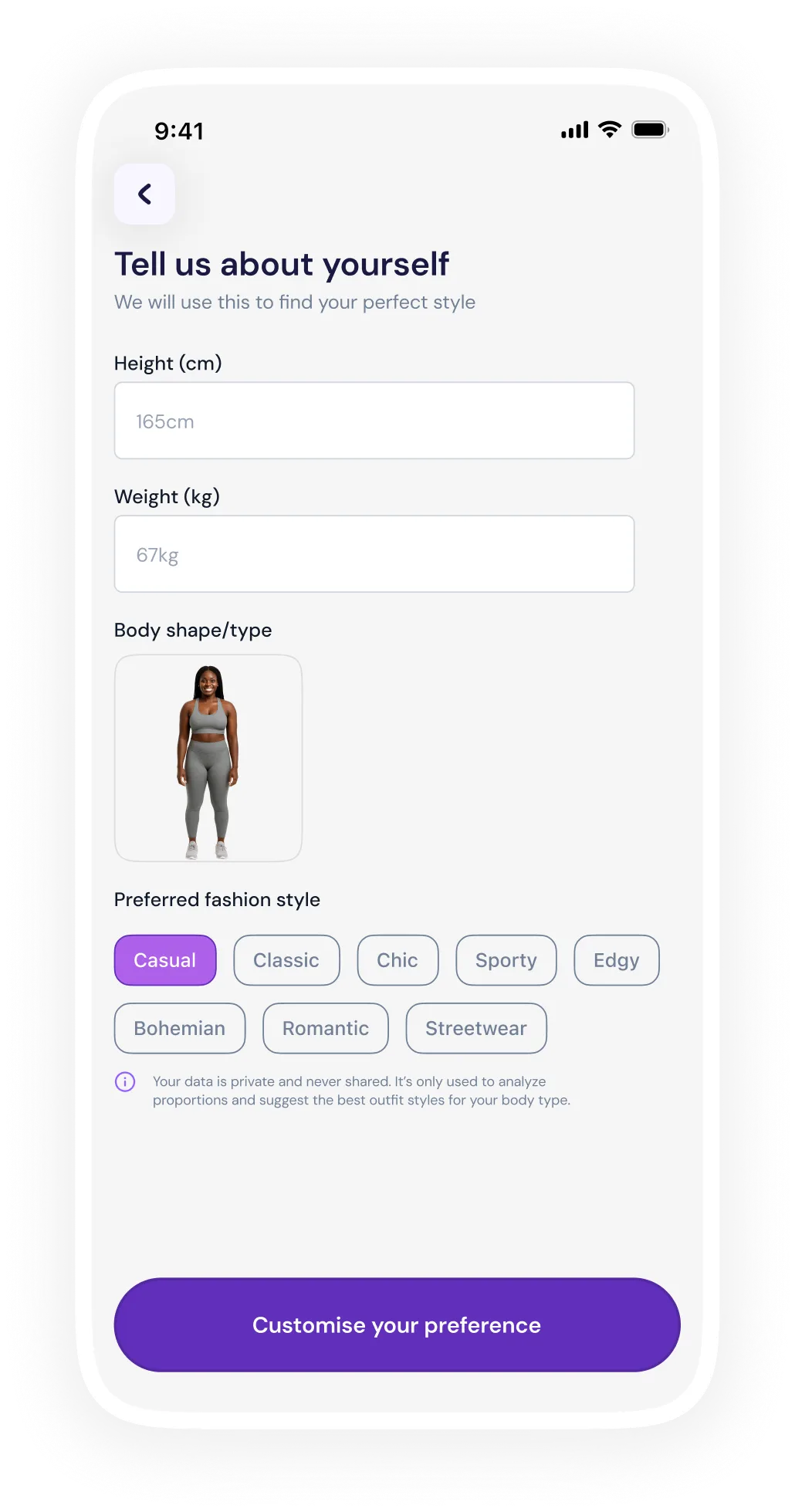
Tell us about yourself

Reducing online shopping using AI body-type recognition

Team
Divinefortune
My Role
UX & UI Design
UX Research
Timeline
October - November 2025

Problem and Motivation

Background. Overview.
Online shopping makes it hard to know if clothes will actually flatter your body, leading to poor fit, low confidence, and high returns, and existing style apps only make generic, trend-based suggestions rather than ones tailored to your shape. I saw an opportunity to build an AI-powered app that recommends outfits based on a user’s actual proportions, style, and color preferences.

Scope

Product Design · Mentorship · UX Research

Fit, reimagined for every body.

Goal

Create a user-centered mobile app that empowers individuals to find clothing that fits their body, boosting confidence, reducing guesswork, and making online fashion more inclusive.

Design Approach

Testing · Prototyping · Secondary Research

Research & Discovery

To validate the idea and better understand user needs, I began with the following and these insights shaped the app’s core design principles: inclusive, user-friendly, optional, empowering, and data-driven.

01.

User interviews & surveys

Talking to people about their pain with online shopping: “clothes look good on the model but not on me,” “returns are annoying,” “I wish I knew what suits my shape.”

02.

Competitive & market analysis

Evaluating existing fashion apps and style services; noting gaps: lack of body-type personalization, limited inclusivity, poor guidance.

03.

Body-type research

Studying common body shape classifications (Hourglass, Pear, Rectangle, Inverted Triangle, Apple, Diamond, Oval) and which clothing silhouettes tend to flatter each type.

Discovery
30%

wants a flexible experience that lets users choose between AI-scan, photo upload, or manual entry increases trust & accessibility.

24%

dislike returns and want to make confident purchases.

20%

often don’t know their “body type” or what styles suit them.

Idea and Conception

From research, I derived the following functional requirements for the app:

Multiple input methods

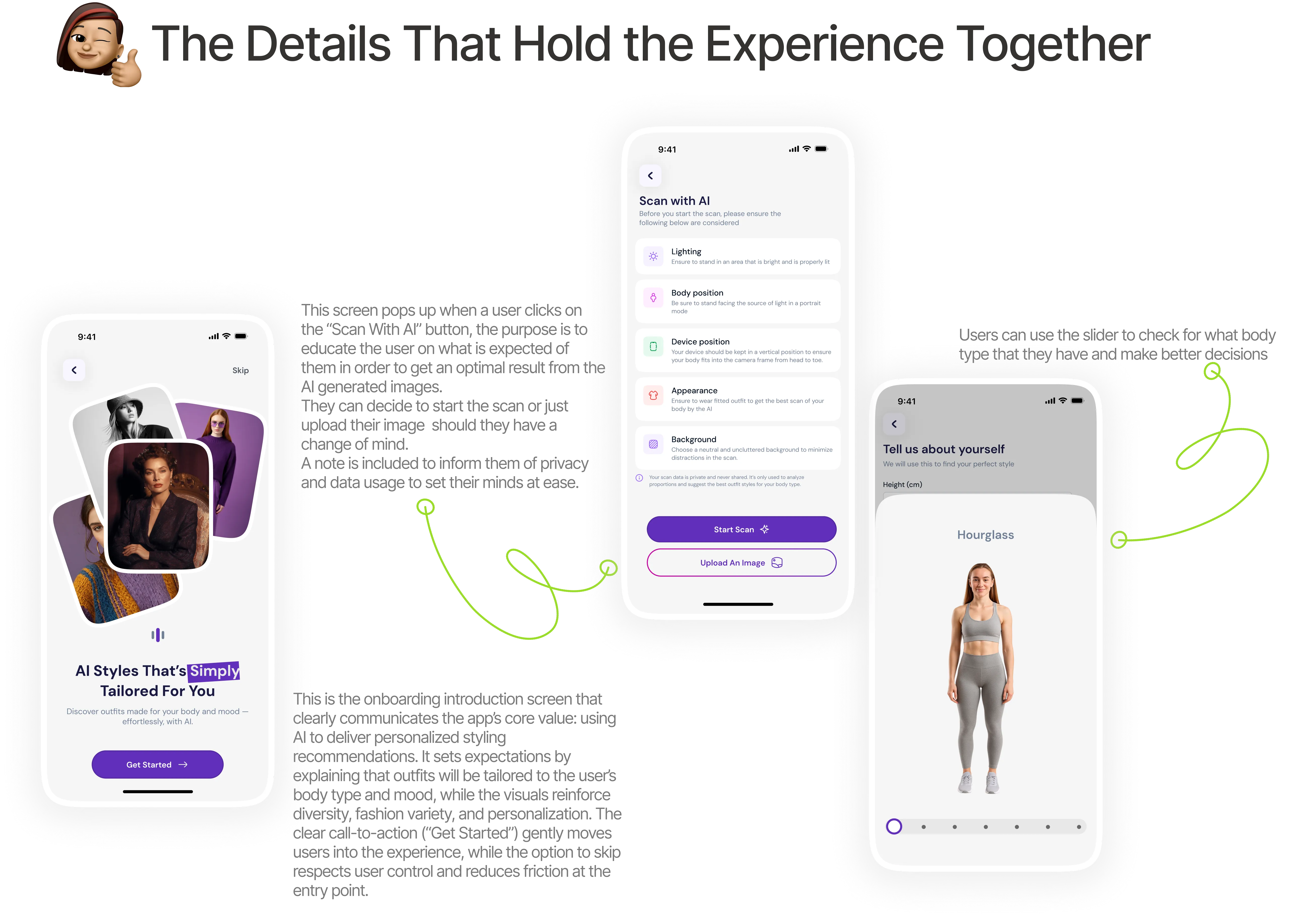
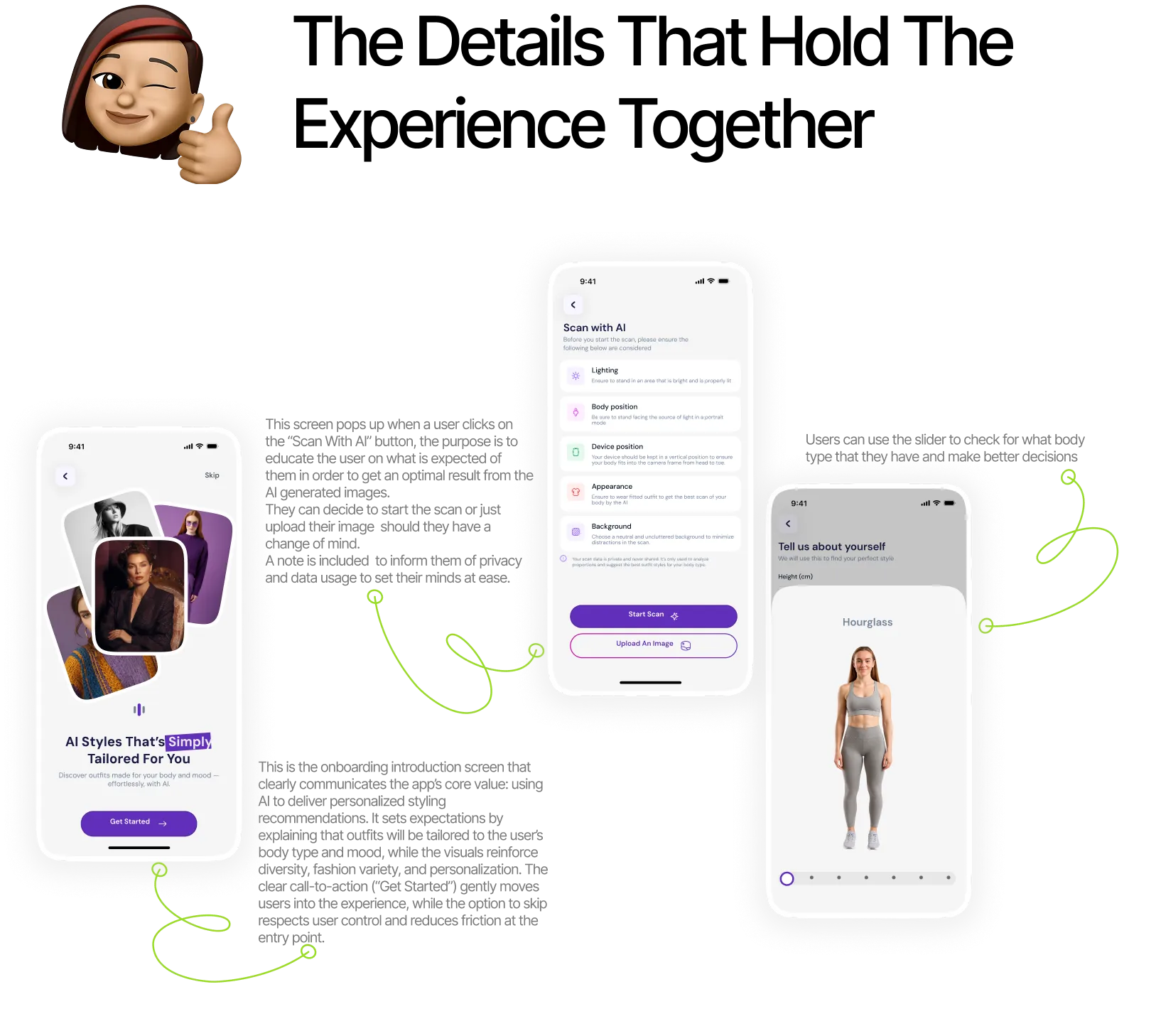
Not every user is comfortable with the same level of technology or exposure. To reduce friction and increase adoption, the app offers three distinct ways to get started, allowing users to choose what feels safest and easiest for them.

01 AI Scan
AI body scan screen
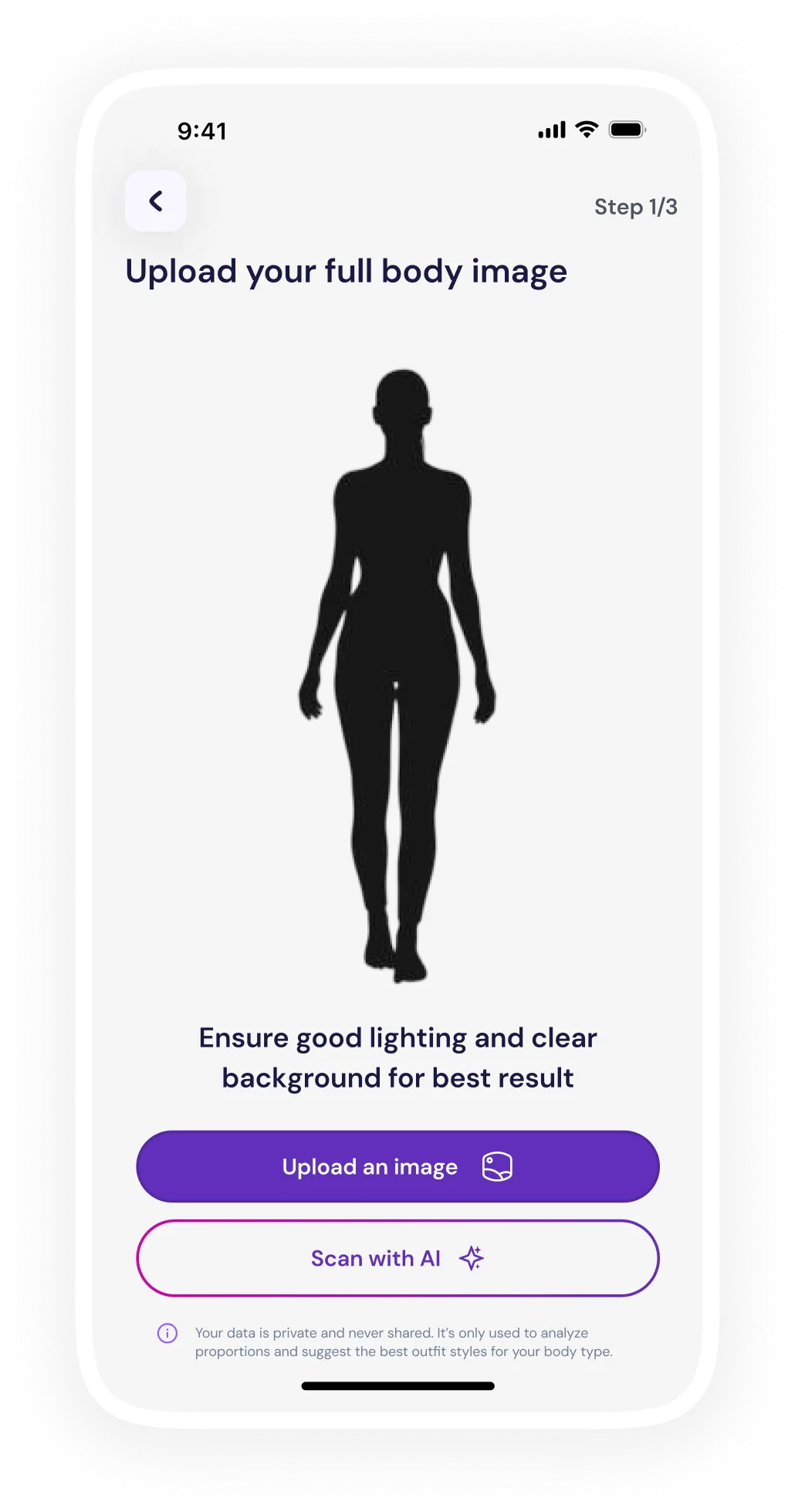
02 Upload Photo
Upload photo screen
03 Manual Entry
Manual entry screen
Onboarding screen showing body-type selection

Body-Type Detection & Profiling

Once input is provided (via scan, upload, or manual entry), the app generates a Body Profile that becomes the foundation for all recommendations. The AI analyses Shoulder-to-hip ratio, Waist definition, Overall body proportions, Height-to-width balance. The output is one of the 7 body types (Hourglass, Pear, Apple, Rectangle, Inverted Triangle, Diamond, etc.), and supporting attributes such as proportion highlights (e.g., “broader shoulders,” “defined waist”).

Body-type detection and profiling screen

Style Preference Capture

Fit alone isn’t enough, personal style is just as important. After identifying body type, the app invites users to express their fashion identity which includes choosing a fashion style option, colour palette to choose from, fit preferences to choose from and the occasion for the outfit.

Style preference capture screen

Outfit Recommendation Engine

Outfits are recommended by combining the user’s body type profile with their selected style preferences, ensuring both fit and personal expression are respected. The system prioritizes silhouettes, cuts, and proportions that naturally complement the user’s body shape, while aligning fabrics, colors, and styling details with their chosen fashion style. This approach ensures recommendations don’t just look good on the user’s body, but also feel authentic to how they want to present themselves.

Outfit recommendation screen

Option To View, Save, Regenerate Results, Or Shop Outfits.

Users can explore recommended outfits in detail, viewing styling notes, fit guidance, and why each look works for their body type and preferences. They can save outfits to a personal collection for future reference or comparison, making it easy to build a curated wardrobe over time. For items they love, users can seamlessly shop the look through integrated links to partner stores or marketplaces, turning inspiration into action.

Curated outfit recommendation screen Outfit detail with styling notes Saved outfits and shop options screen

Graceful Loading & Feedback Flows

Graceful loading and feedback flows keep users informed and reassured while the app processes scans or generates recommendations. Clear progress indicators, microcopy, and subtle animations communicate what’s happening, how long it might take, and what to do next, reducing uncertainty and frustration. This transparency builds trust and makes the experience feel intentional, responsive, and user-centered rather than technical or confusing.

AI scan screen Loading screen
To see how this loads, click the button below Watch video case study

From research, I derived the following functional requirements for the app

Multiple input methods

Not every user is comfortable with the same level of technology or exposure. To reduce friction and increase adoption, the app offers three distinct ways to get started, allowing users to choose what feels safest and easiest for them.

Onboarding screen showing body-type selection

Body-Type Detection & Profiling

Once input is provided (via scan, upload, or manual entry), the app generates a Body Profile that becomes the foundation for all recommendations. The AI analyses Shoulder-to-hip ratio, Waist definition, Overall body proportions, Height-to-width balance. The output is one of the 7 body types (Hourglass, Pear, Apple, Rectangle, Inverted Triangle, Diamond, etc.), and supporting attributes such as proportion highlights (e.g., “broader shoulders,” “defined waist”)

Body profile screen
Details section Details section
Progression section Progression section

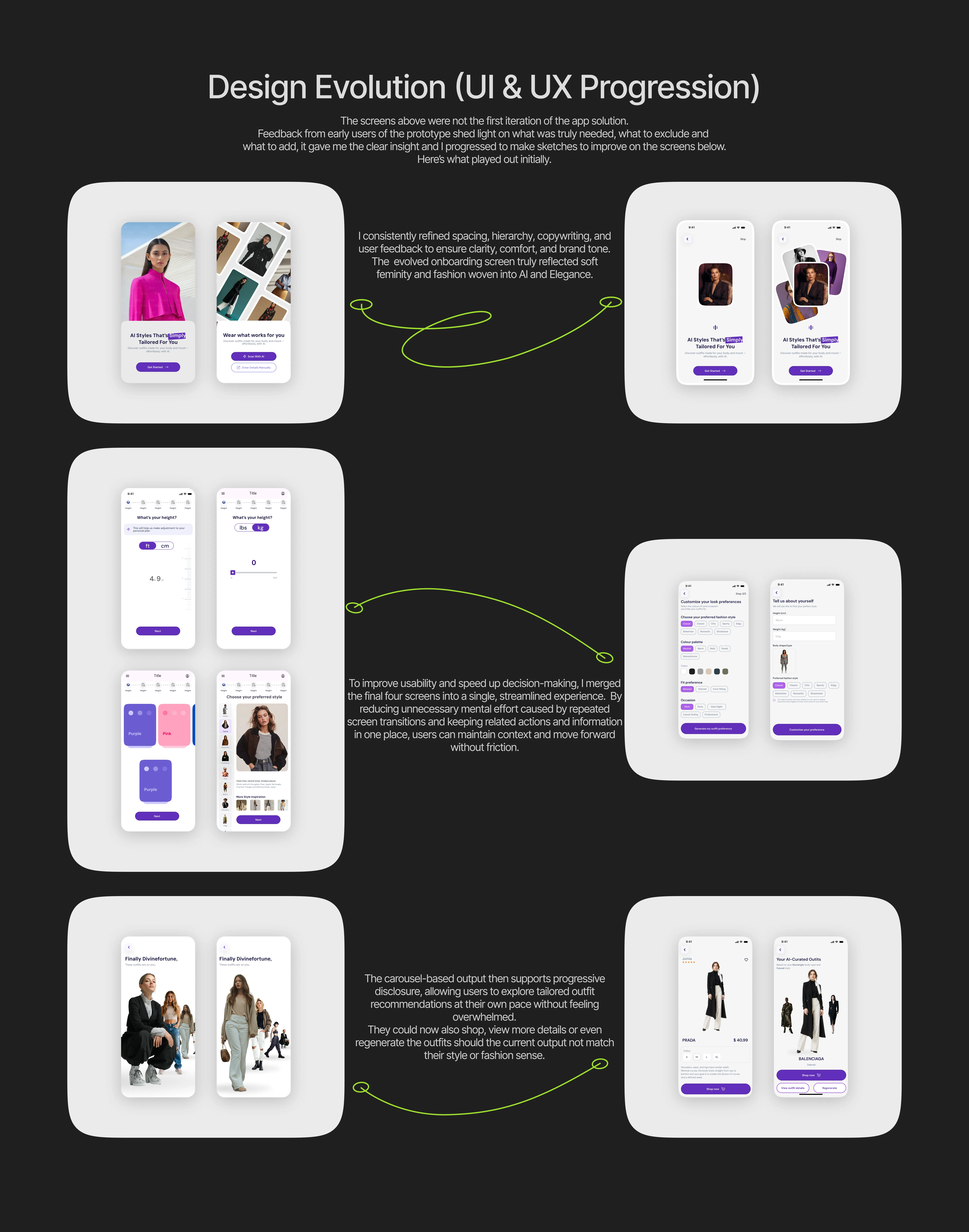
During design, I faced (and expect to face) several constraints. Some of them include the following:

01

Accuracy of body-type detection

Users vary widely in height, posture, clothing, camera quality, lighting. False positives or mismatches can undermine trust.

02

Privacy Concerns

Users may hesitate to upload photos or scan their body; requires strong privacy messaging and transparent data handling.

03

Diverse body shapes & inclusivity

Designing recommendations that meaningfully cover all body types, skin tones, and proportions without bias.

04

Fashion inventory limitations

Generating tailored outfit suggestions requires access to a robust, inclusive catalog of garments in all sizes and styles.

05

Performance & loading time

Body scan, analysis, and recommendation generation must be fast enough to avoid user frustration.

06

User preference variability

Taste, budget, culture amongst others were hard to model perfectly within AI.

What I Learned & What’s Next

Designing for real people

Building multiple input paths (AI scan, image upload, manual entry) reinforced the importance of inclusivity, comfort, and user control in sensitive experiences like body profiling.

Clarity over complexity

I learned that simplifying flows by merging screens and reducing steps, significantly improves comprehension, confidence, and completion rates without sacrificing functionality.

Trust is designed, not assumed

Clear feedback states, graceful loading, and transparent explanations helped establish credibility in an AI-driven experience where users need reassurance.

Personalization needs structure

Personalization needs structure

Progressive disclosure drives engagement

Revealing information in stages (scan → profile → preference → recommendation) kept users focused and reduced overwhelm while maintaining curiosity.

Designing for the Visual Mind: Turning Cognitive Overload into Engaging Videos

LilyAI

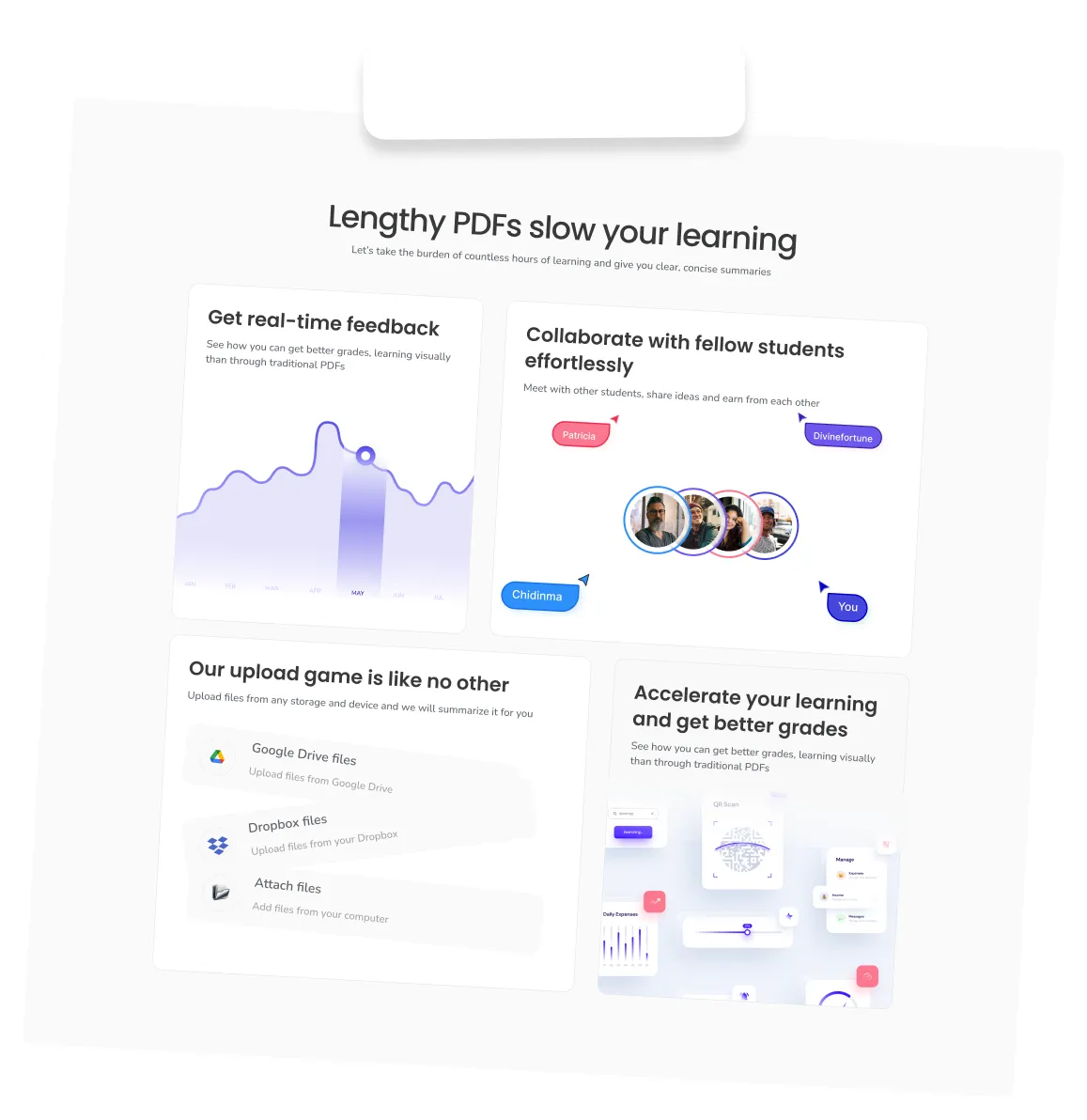
Education app concept hero

Designing for the Visual Mind: Turning Cognitive Overload into Engaging Videos.

Team
Divinefortune
My role
Solo designer
UX & UI Design
Design system
UX Research
Timeline
October - November 2025
Problem and Motivation
01

The Problem

Most learning tools assume reading equals learning. A 30–50 page PDF, abstract concepts with no visual context, and no way to measure real understanding leave students lost.

02

Cognitive Overload

For visual learners especially, dense text-based content creates cognitive overload, low retention, and frustration that leads to disengagement.

03

Why It Matters

I've always learned best through diagrams, animations, and step-by-step visuals — yet most academic materials aren't designed that way.

04

The Guiding Question

“Why should students struggle to understand content when technology can help explain it better?”

Research and Discovery
01.

Personal reflection

Personal learning reflection as a visual learner

02.

Conversations

Conversations with students across different disciplines

03.

Competitive analysis

Competitive analysis of learning platforms and EdTech tools

04.

Review of principles

Review of learning science principles (visual learning, cognitive load)

Discovery
01.

Students want more clarity from study materials they have.

02.

Visual explanations dramatically improve comprehension.

03.

Testing without feedback doesn't help learning.

04.

Students want to know what they don't understand and why.

Key Features

LilyAI turns any study material into a guided, visual learning loop — from upload to insight.

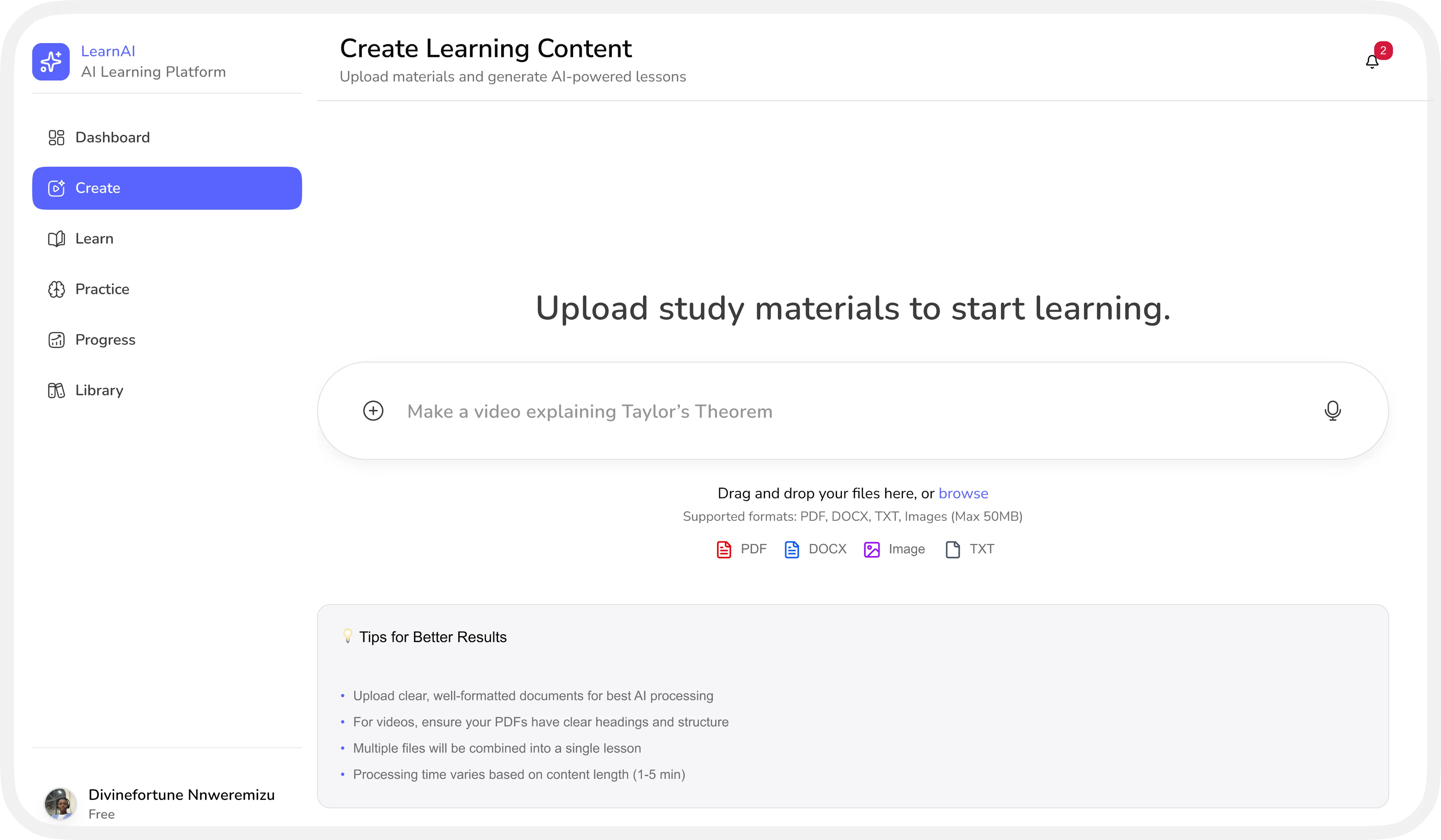
01

Upload And Learn

Drop in a PDF, DOCX, image, or just describe a topic — LilyAI turns it into a ready-to-watch lesson in minutes.

Create Learning Content screen — upload study materials to start learning
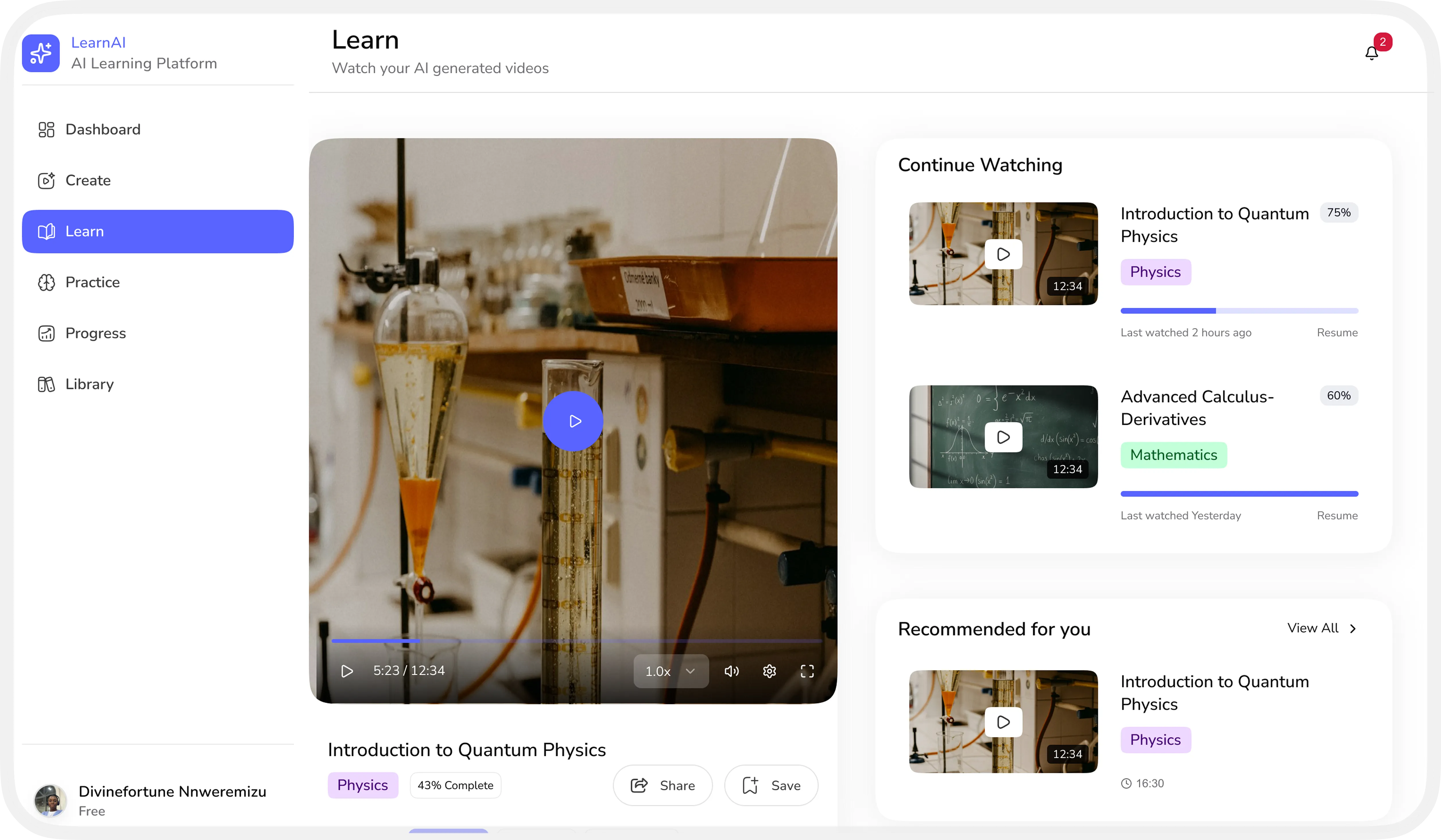
02

Video-Based Explanations

Every topic becomes a short, AI-generated video, paced and explained the way a great tutor would.

Learn screen — AI generated video with continue watching list
03

Smart Summaries

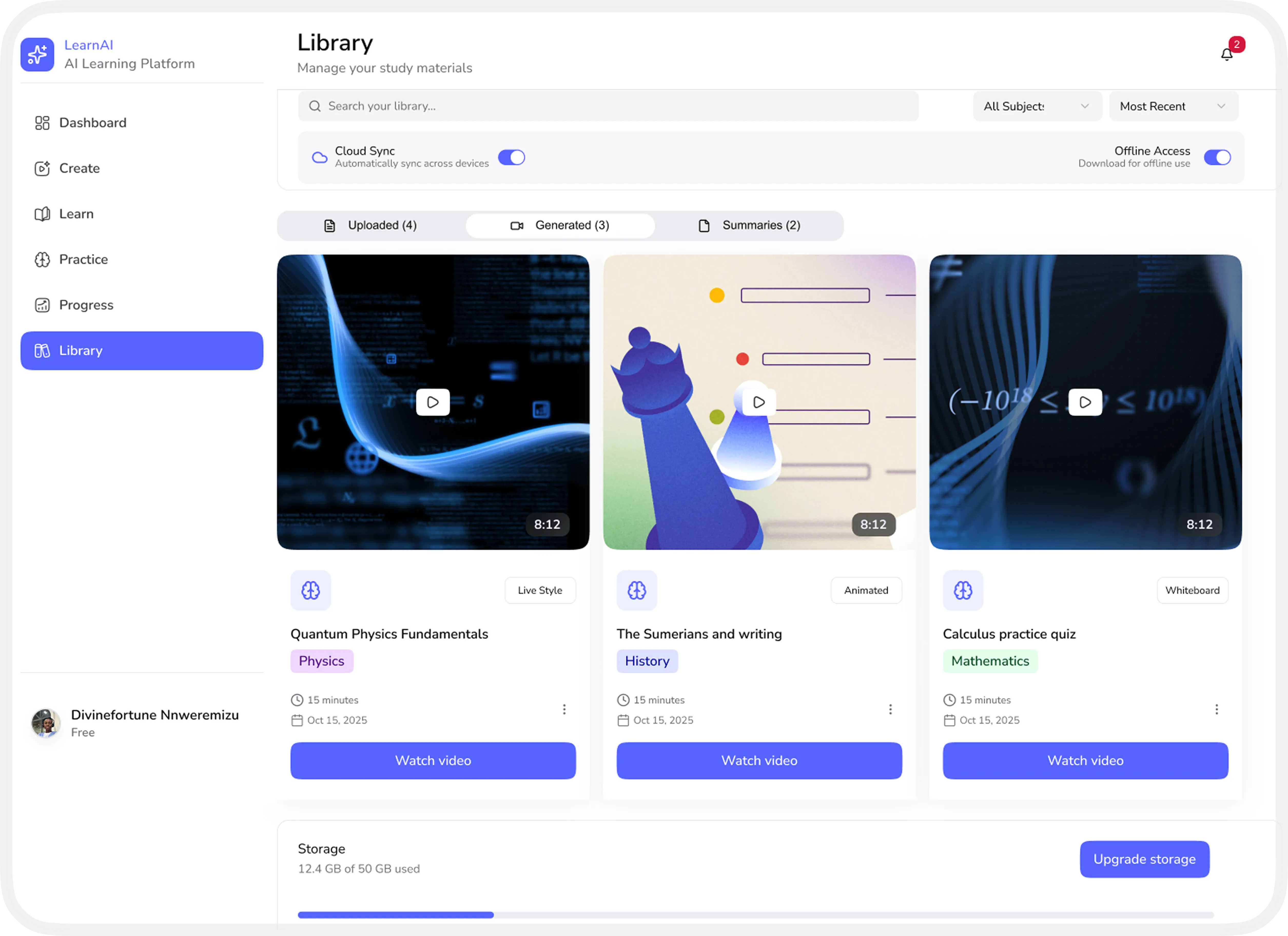
Every generated video and summary lives in one organized library, synced and ready offline whenever you need it.

Library screen — generated videos and summaries
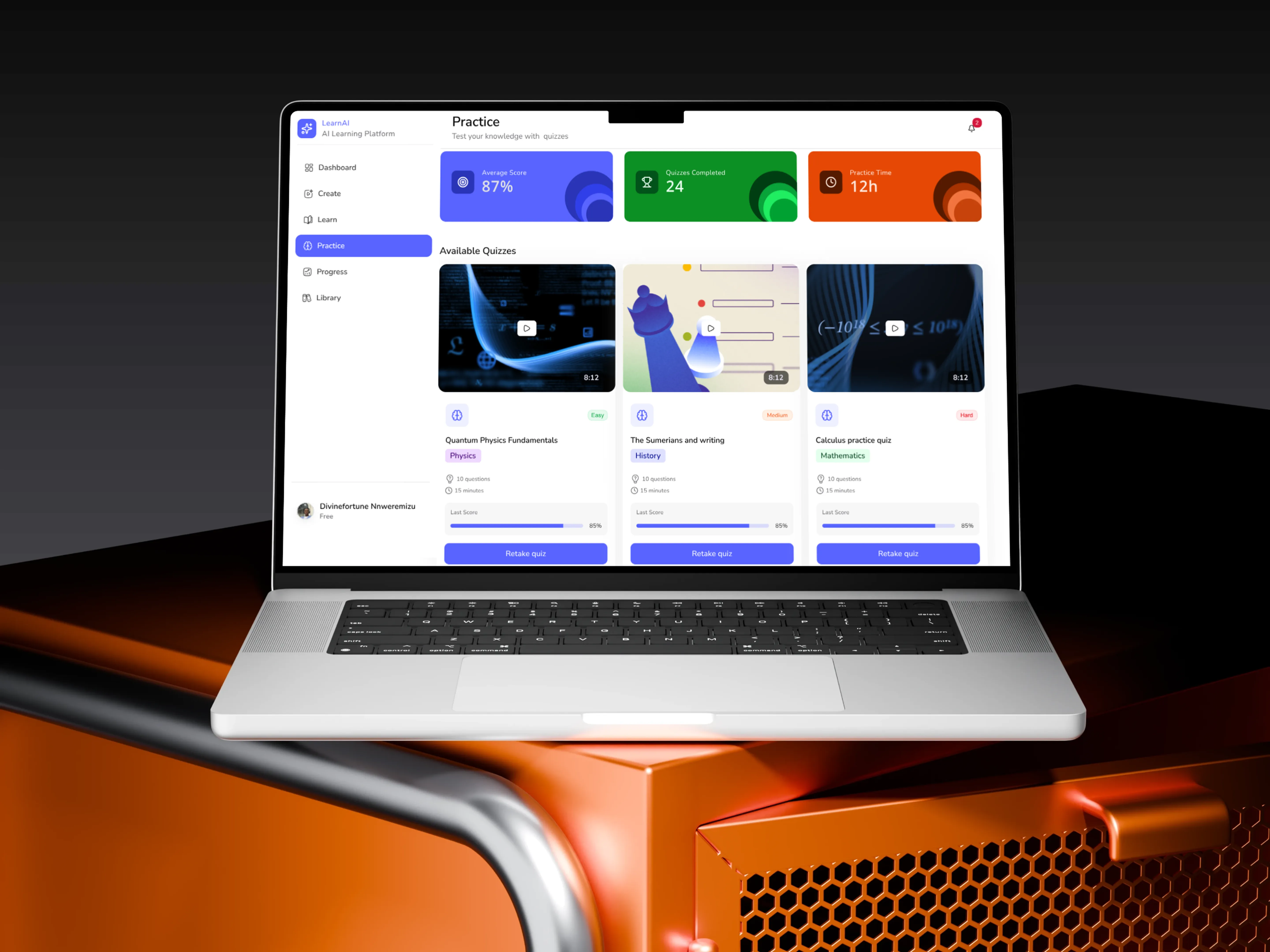
04

Practice & Assessment

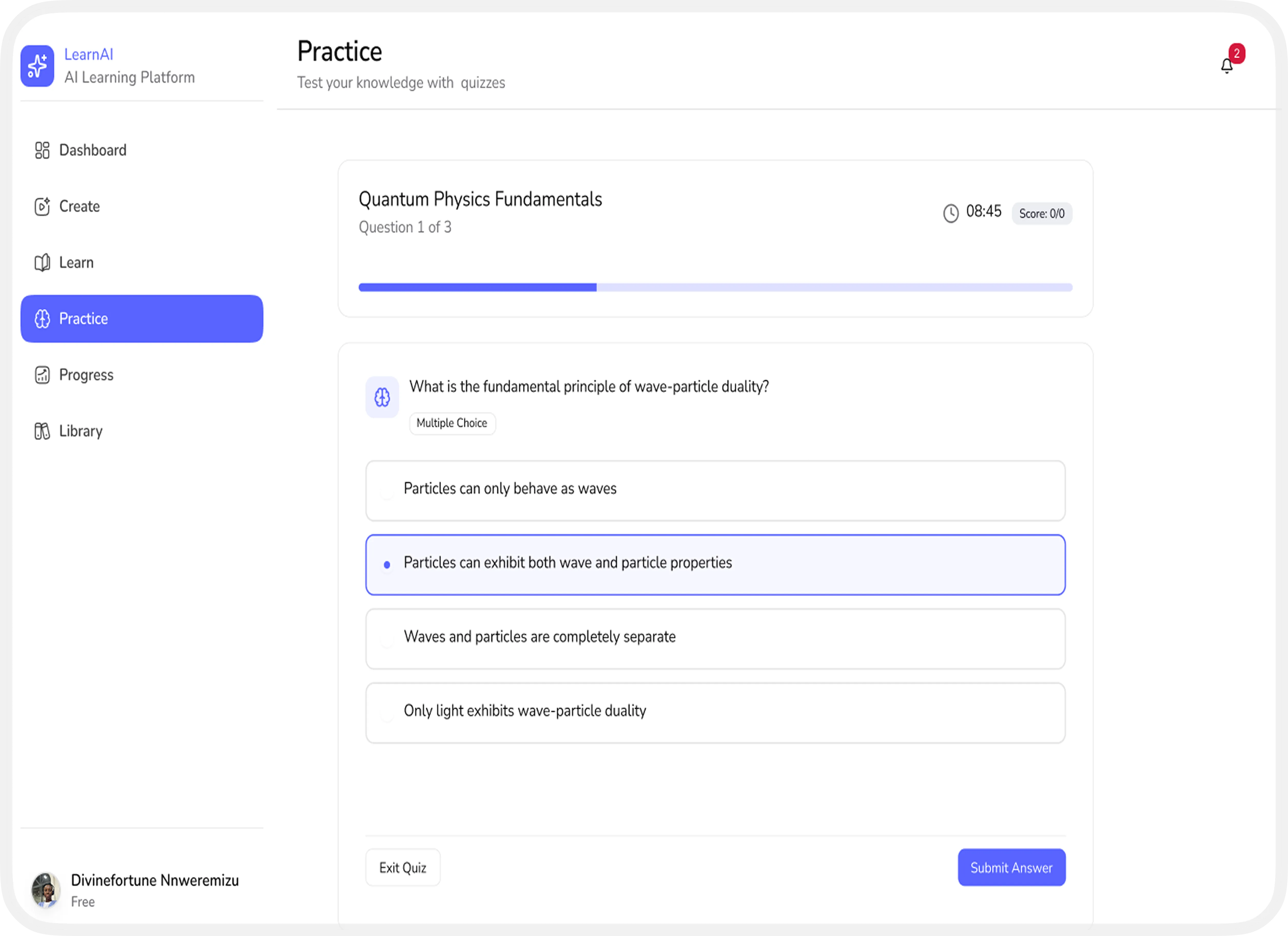
Quick, adaptive quizzes test what actually stuck, right after each lesson.

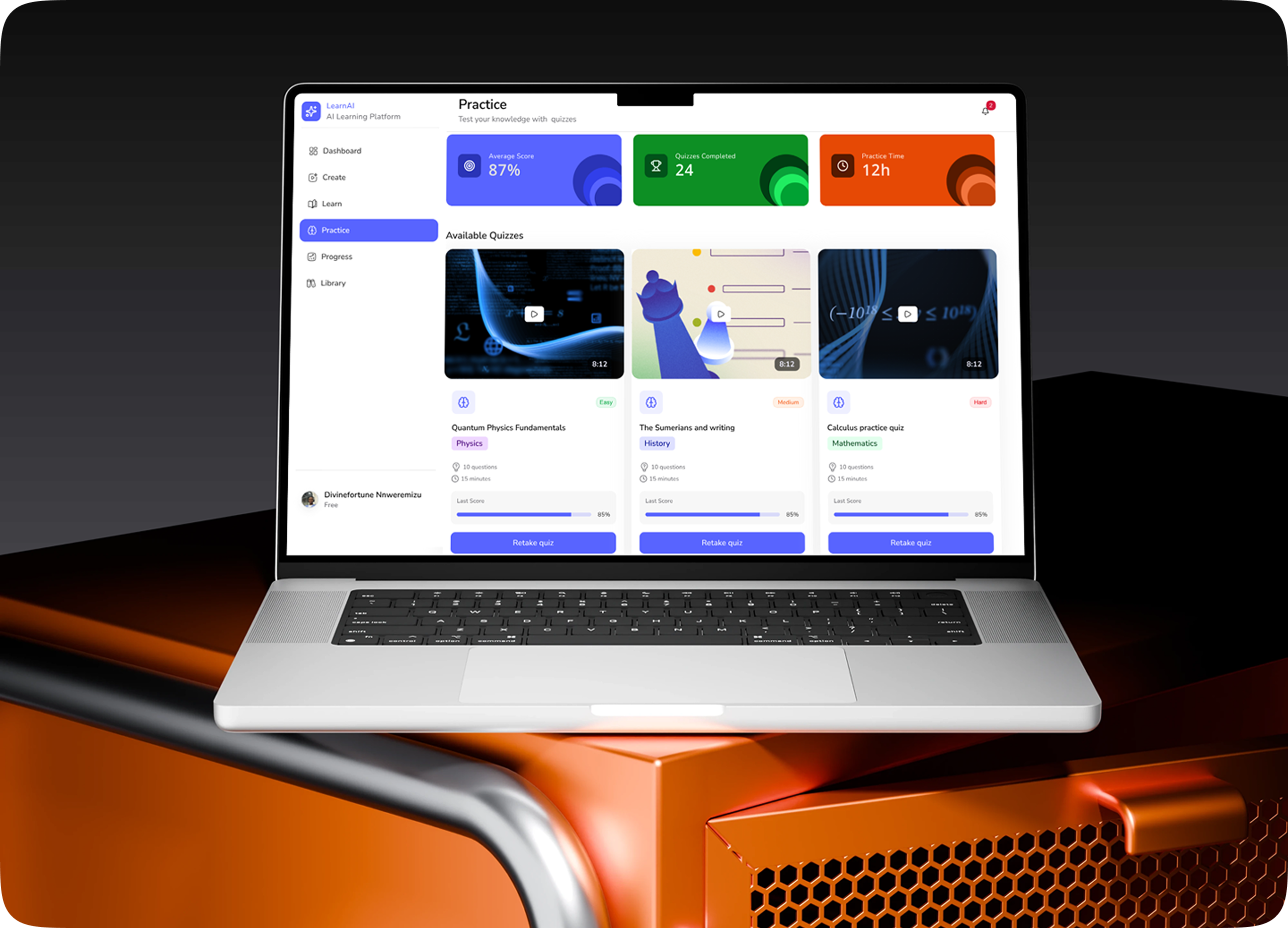
Practice screen — quiz testing knowledge
05

Learning Insights Dashboard

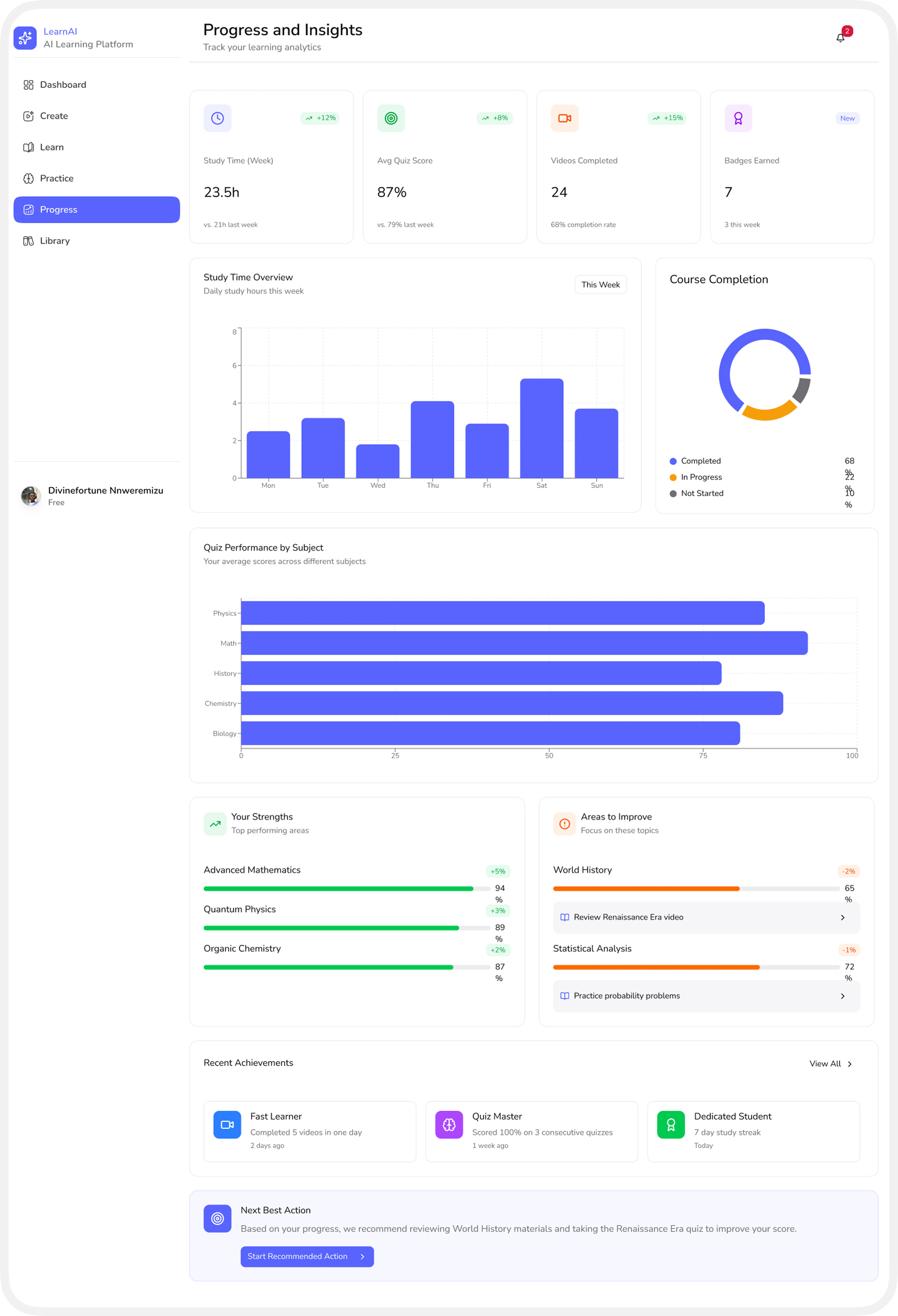
Track study time, quiz scores, and strengths at a glance, with clear next steps to focus on.

Progress and Insights dashboard — study analytics
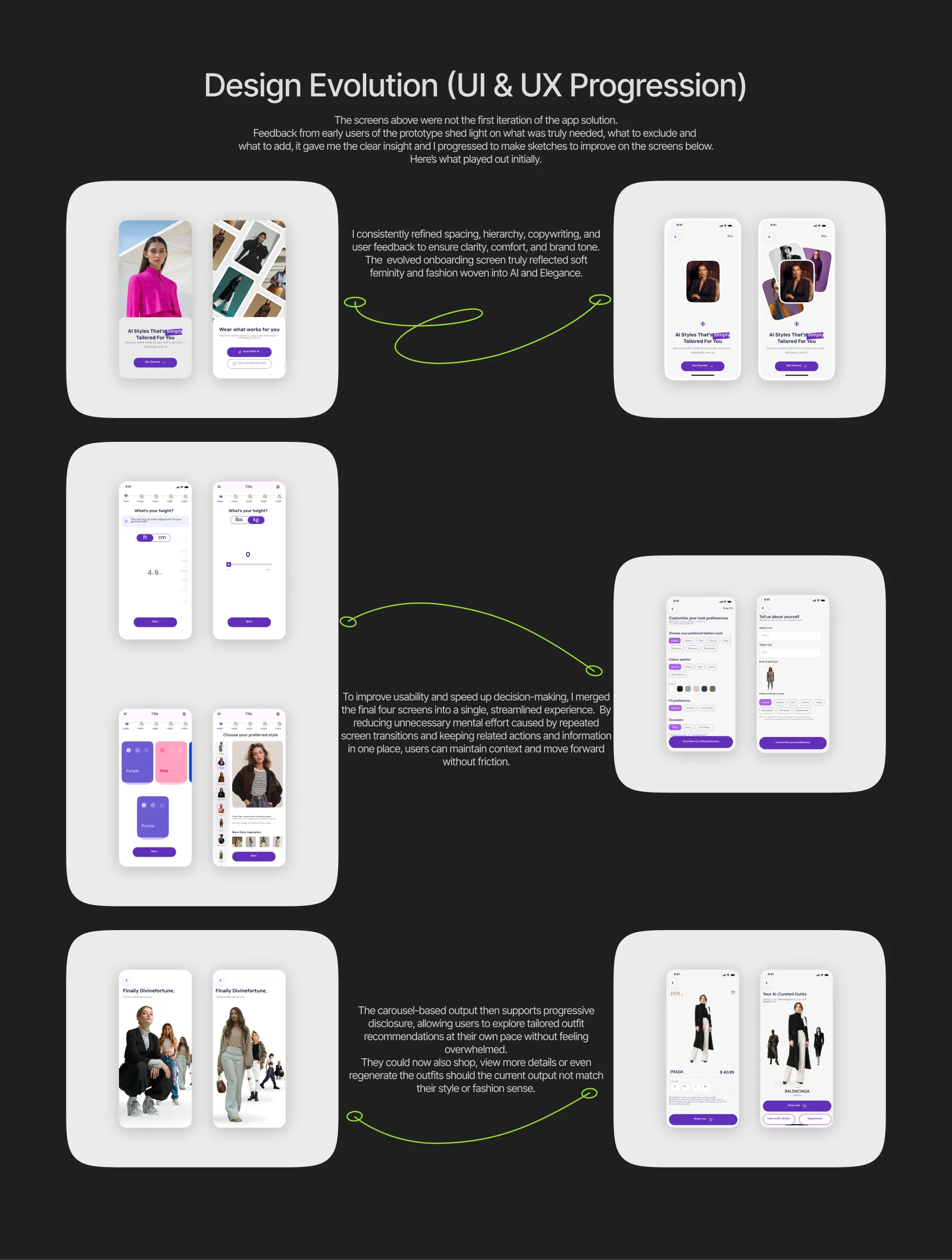
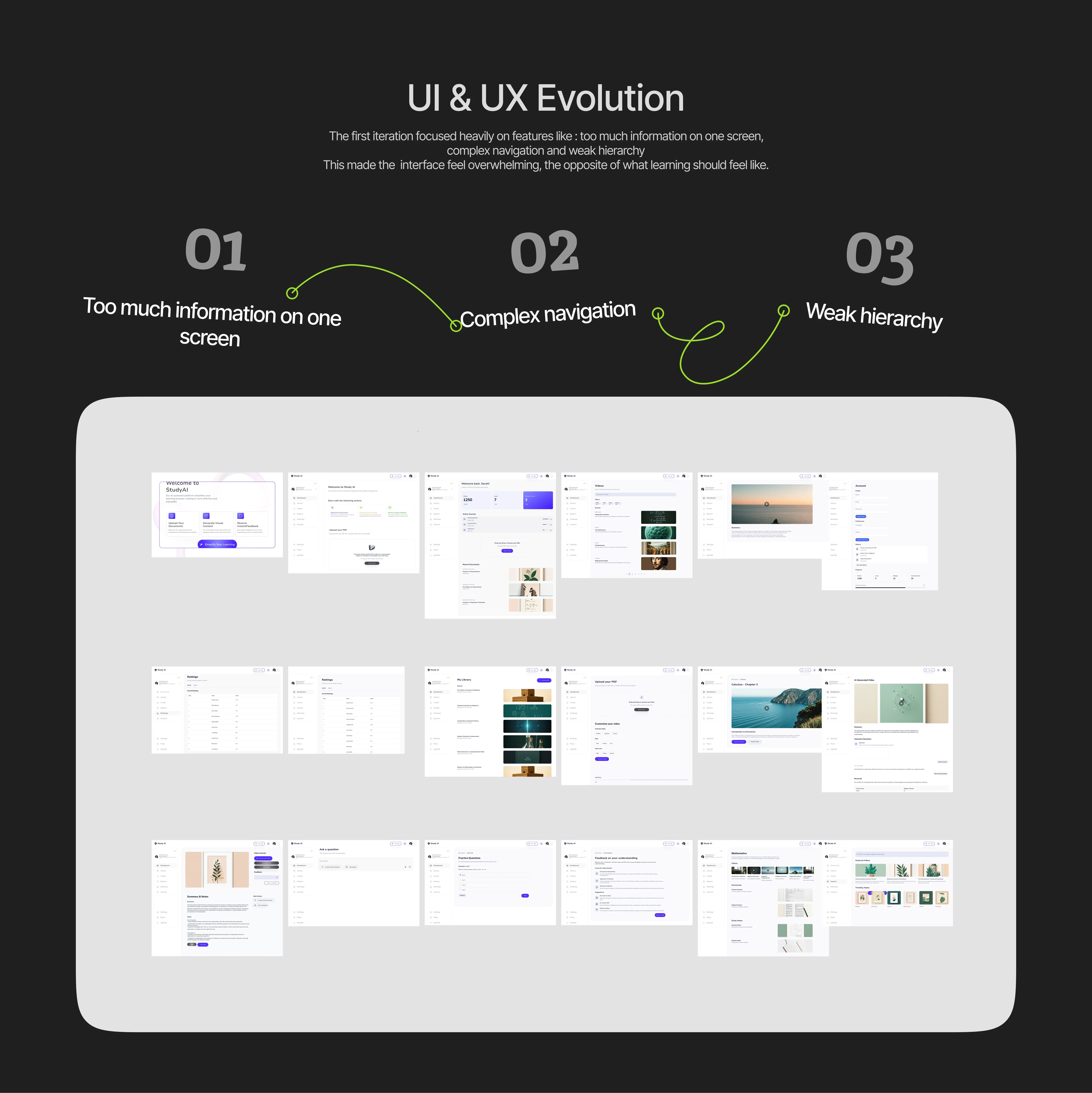
UI Evolution — design progression and iterations

01

AI Limitation

Accuracy of content interpretation Risk of oversimplifying complex topics Dependence on quality of uploaded materials

02

Technical Feasibility

Video generation is resource-intensive Scalability across subjects and formats Performance considerations on low-end devices

03

Accessibility

Ensuring videos, text, and interactions meet accessibility standards Supporting diverse learning needs

04

Trust & Education Ethics

Students must trust generated content Transparency about AI limitations is essential

What I Learned

Learning is emotional because frustration kills motivation

When learners feel confused or overwhelmed, their willingness to continue drops quickly. Designing calm, supportive experiences helps sustain curiosity and confidence throughout the learning journey.

Visual clarity is a UX responsibility

If information is hard to scale or visually noisy, comprehension suffers. Clear hierarchy, spacing, and visuals are not aesthetic choices as they directly enable understanding.

Feedback is as important as content

Content alone doesn’t guarantee learning; learners need to know what they understood and what they didn’t. Timely, specific feedback turns passive consumption into active improvement.

Good EdTech must respect different learning styles

Students absorb information differently, some through visuals, others through text or practice. Effective EdTech adapts to these differences instead of forcing everyone into a single learning path.

Final Reflection

This project represents my belief that education should adapt to the learner, not the other way around. By combining AI, visual learning principles, and thoughtful UX design, this platform aims to help students not just study, but truly understand.

Thanks for reading

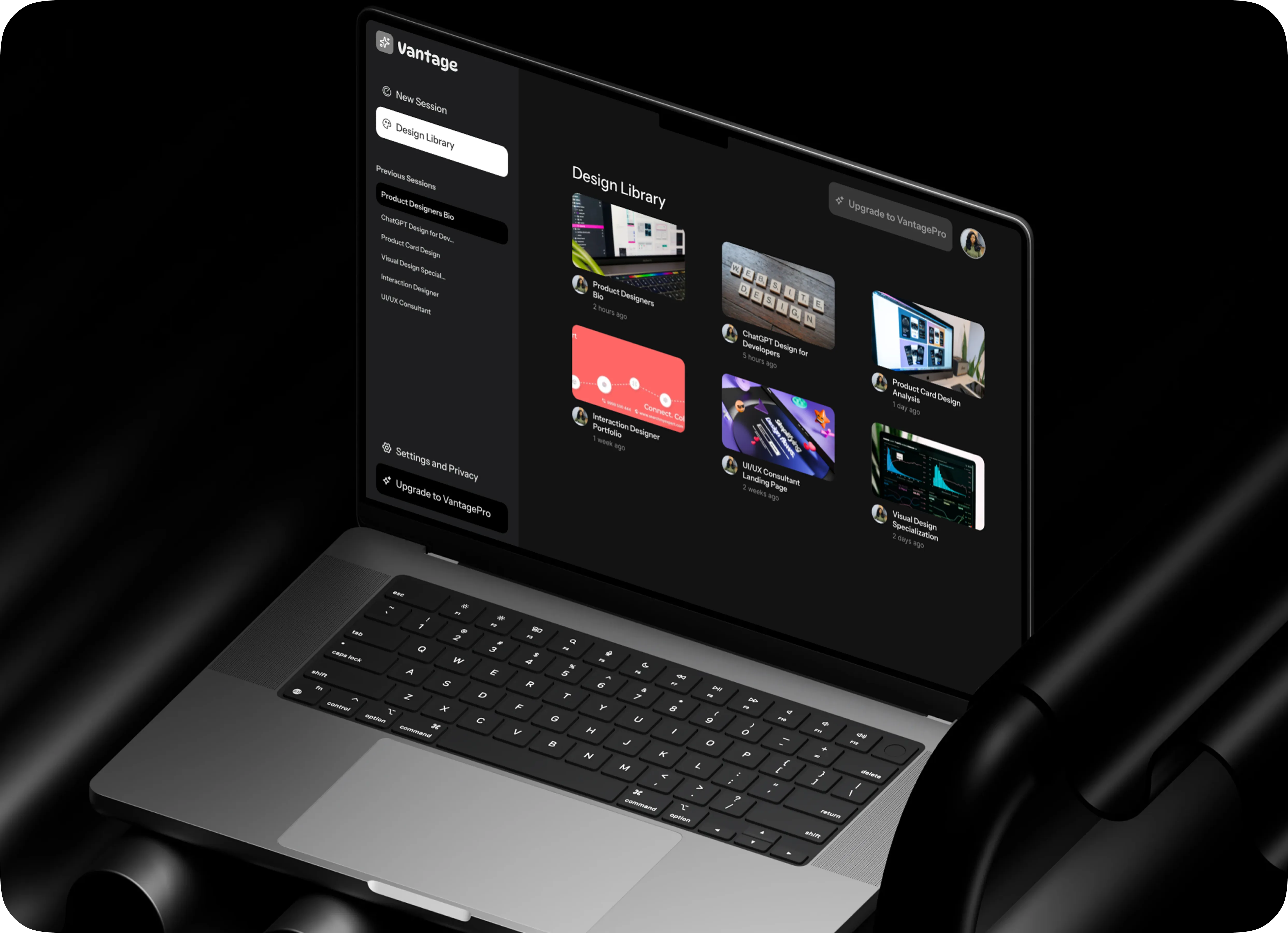
VantageAI

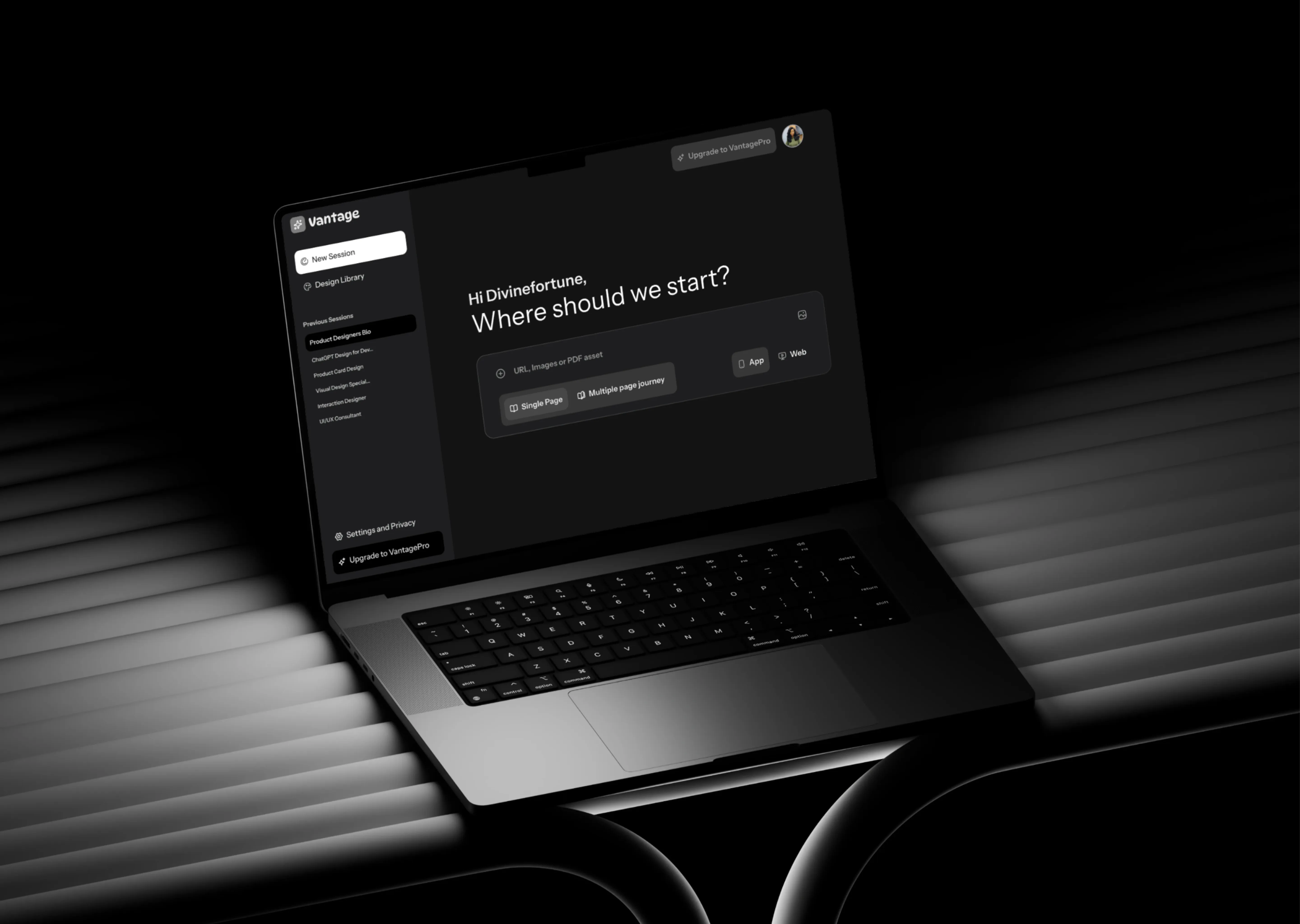
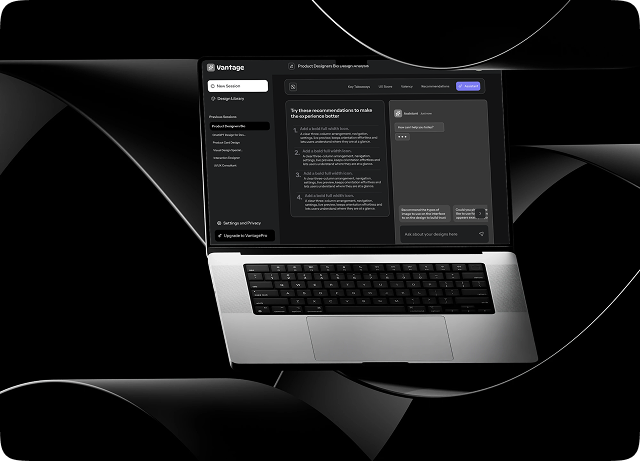
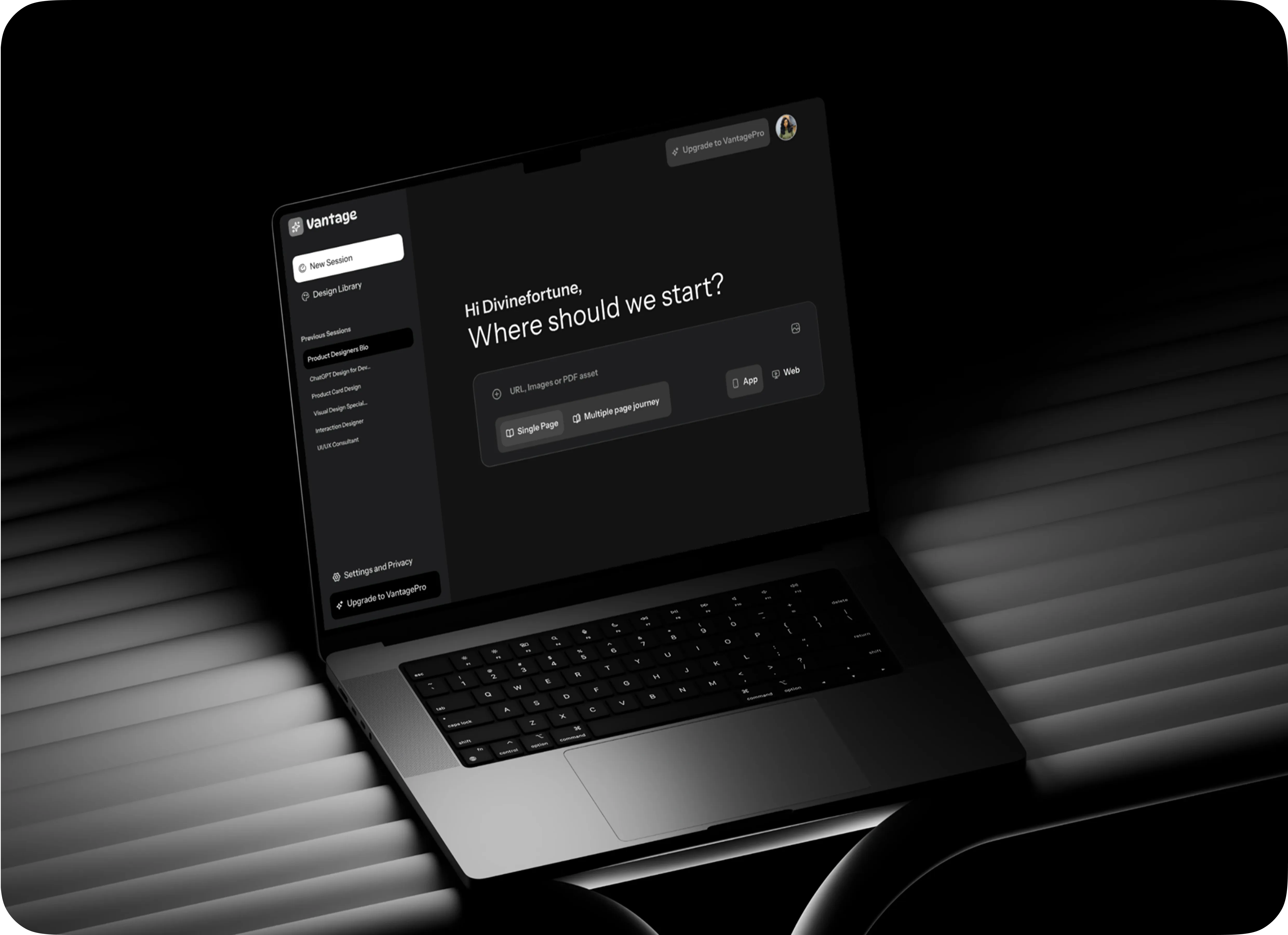
VantageAI design-feedback assistant interface shown on a laptop screen

Beyond Clean UI: Systems That Improve Designers

Team
Divinefortune
My Role
Solo designer
UX & UI Design
Design system
UX Research
Timeline
January 2026
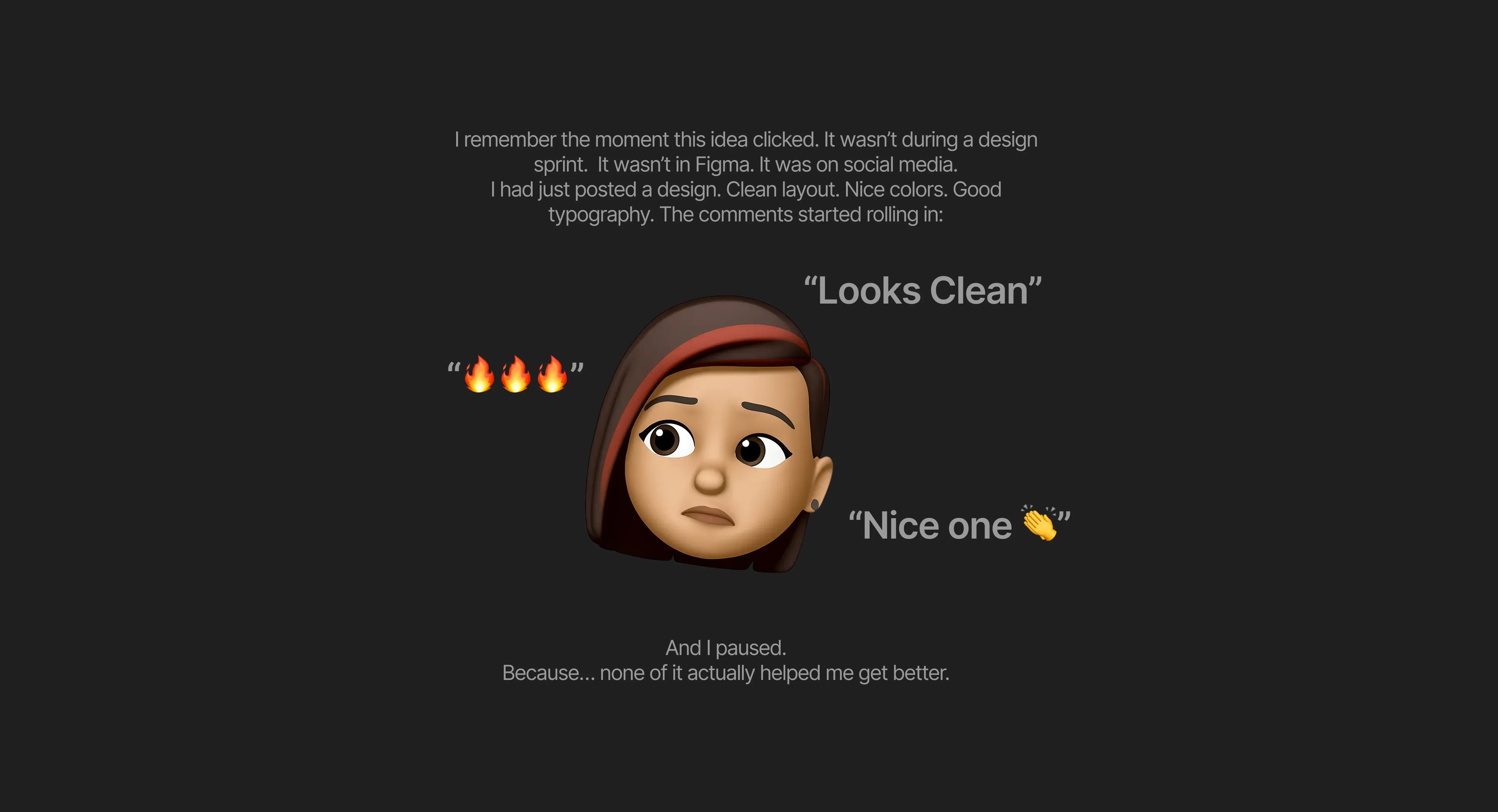
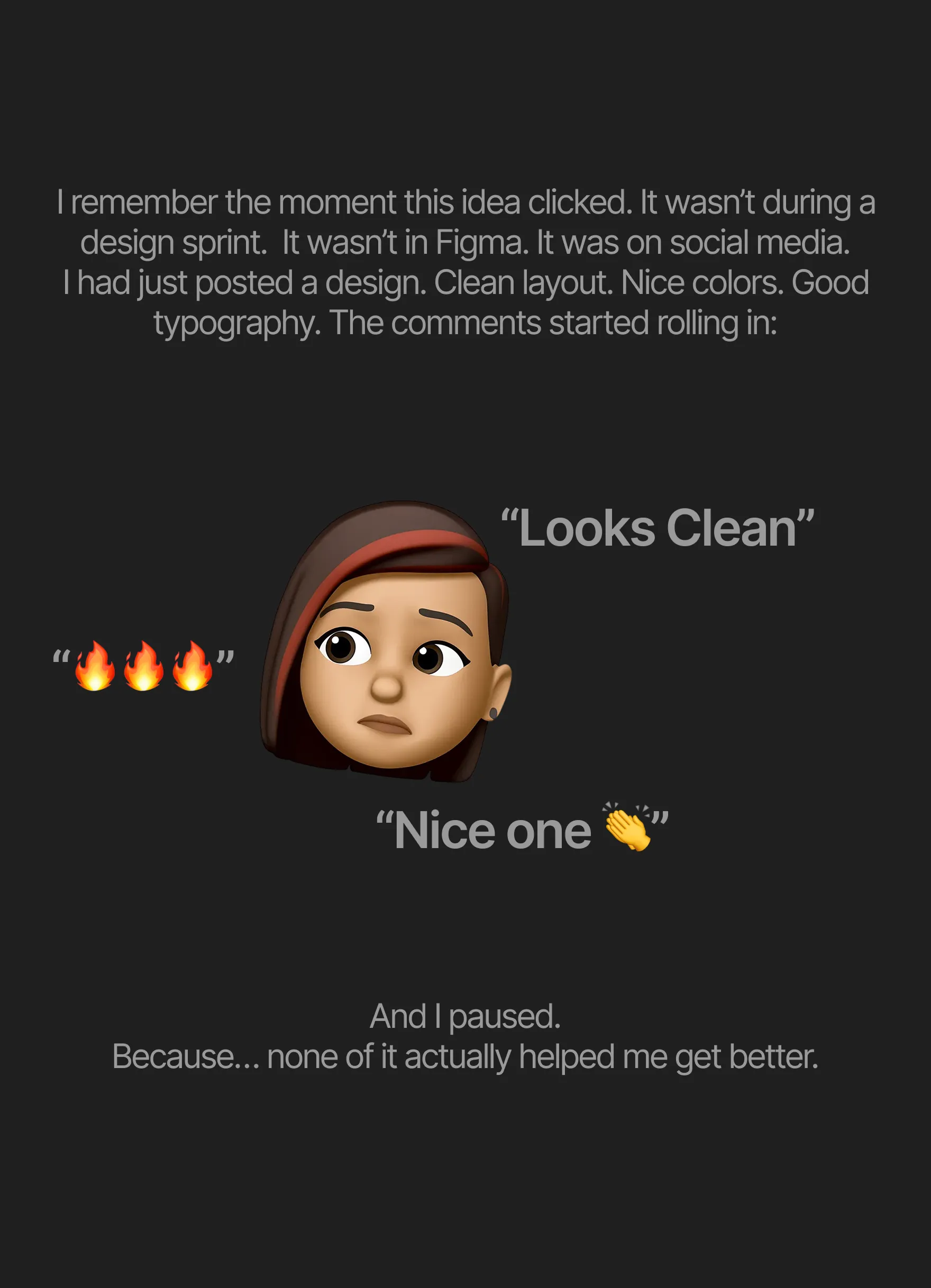
Looks clean section Looks clean section

The Idea: What If Feedback Could Think With You?

That question led to one idea:
What if every designer had access to a senior-level critique system… on demand?
What if every designer had clear, principle-based feedback, every single time.
 
That’s how Vantage AI was born.

The Bigger Gap

The more I observed this, the clearer the gaps became:
 
Non-actionable feedback → You don’t know what to fix
Limited access to experts → Senior designers are expensive and scarce
Mental overload → You’re trying to remember things like Fitts’s Law, accessibility rules, spacing systems… all at once
 
Designers were lacking Feedback and Structured Thinking.
And that was the real problem.

The Problem I Couldn’t Ignore

That moment exposed something deeper about the design industry.
We’ve built a culture where validation is loud… but improvement is quiet.
 
Designers, especially growing ones like myself, are stuck in what I call an echo chamber.
You share your work on platforms like Dribble or X (formerly Twitter)…
…and what comes back is mostly subjective praise.
 
Not because people don’t want to help, but because:
Most feedback is based on taste, not principles
Real UX critique is hard to scale
And honestly, not everyone knows what to look for
 
So designers start optimizing for what gets attention…
instead of what actually works.
That’s how you get beautiful designs that fail in real life.

Key Features

Five moves from a rough idea to a reviewed design.

01

Upload And Prompt

Designers can upload Mock-ups, Figma links, and prompts for their goals. They can choose between “Single Page” or “Multiple Page Journey” and toggle between Mobile App or Web App for better feedback.

Upload and Prompt screen — adding a design for review
02

Design Analysis Reports

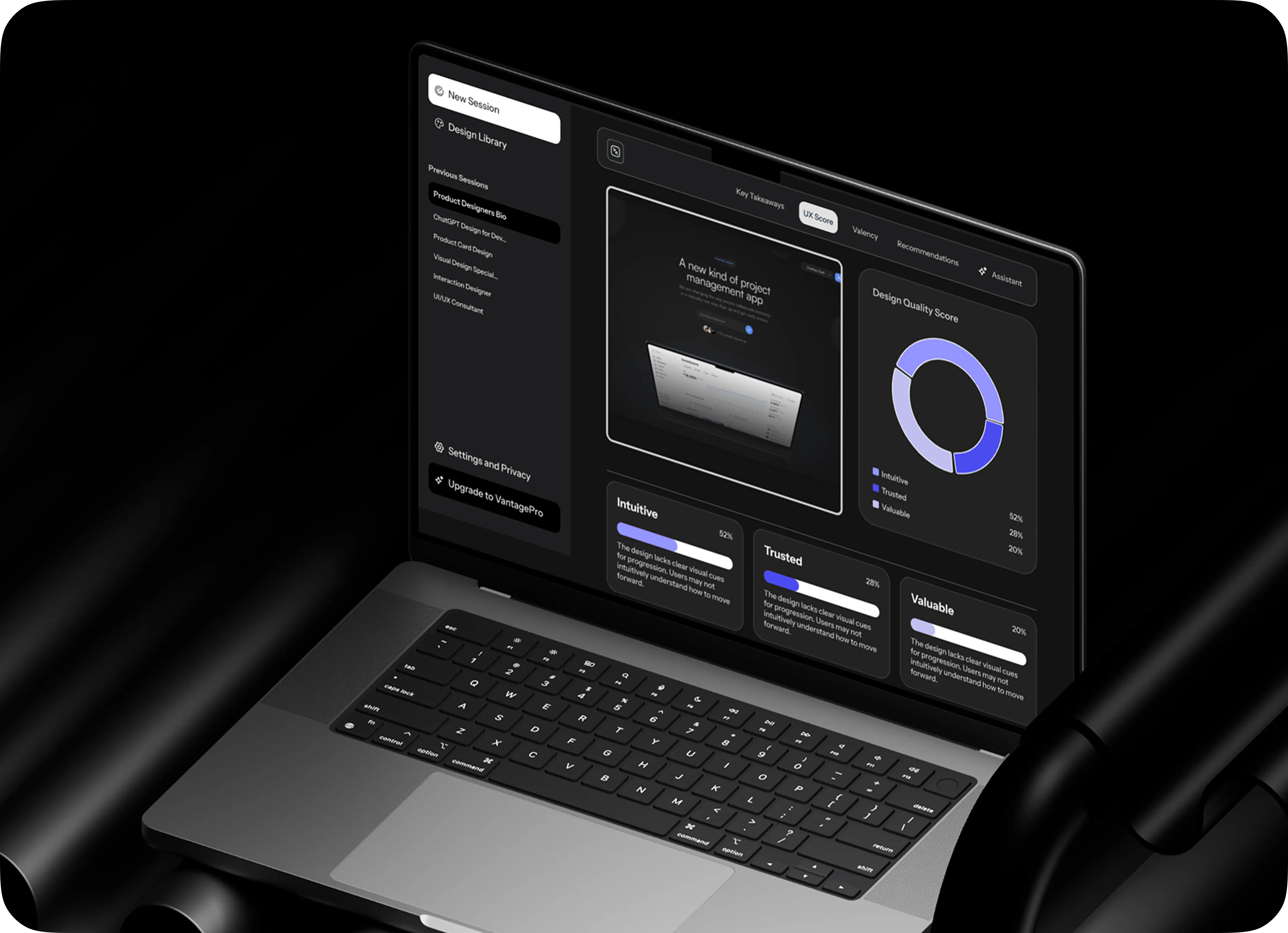
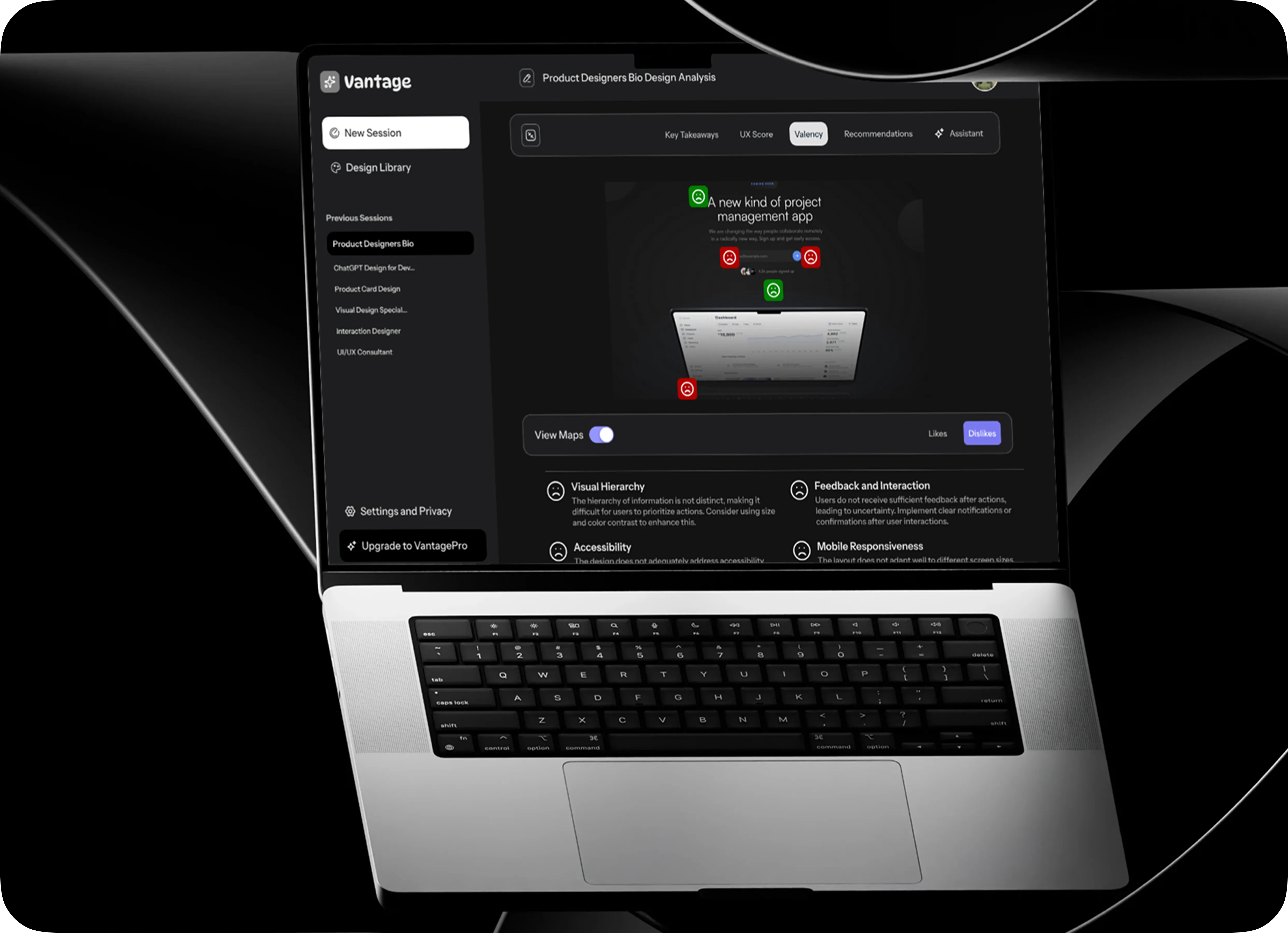
A summary page for Key Takeaways, UX Score, and recommendations. It provides designers an overview of design quality, combining visual previews with performance indicators. The system highlights usability and accessibility issues directly on the design.

Design Analysis Report screen — structured feedback breakdown
03

Smart Recommendations

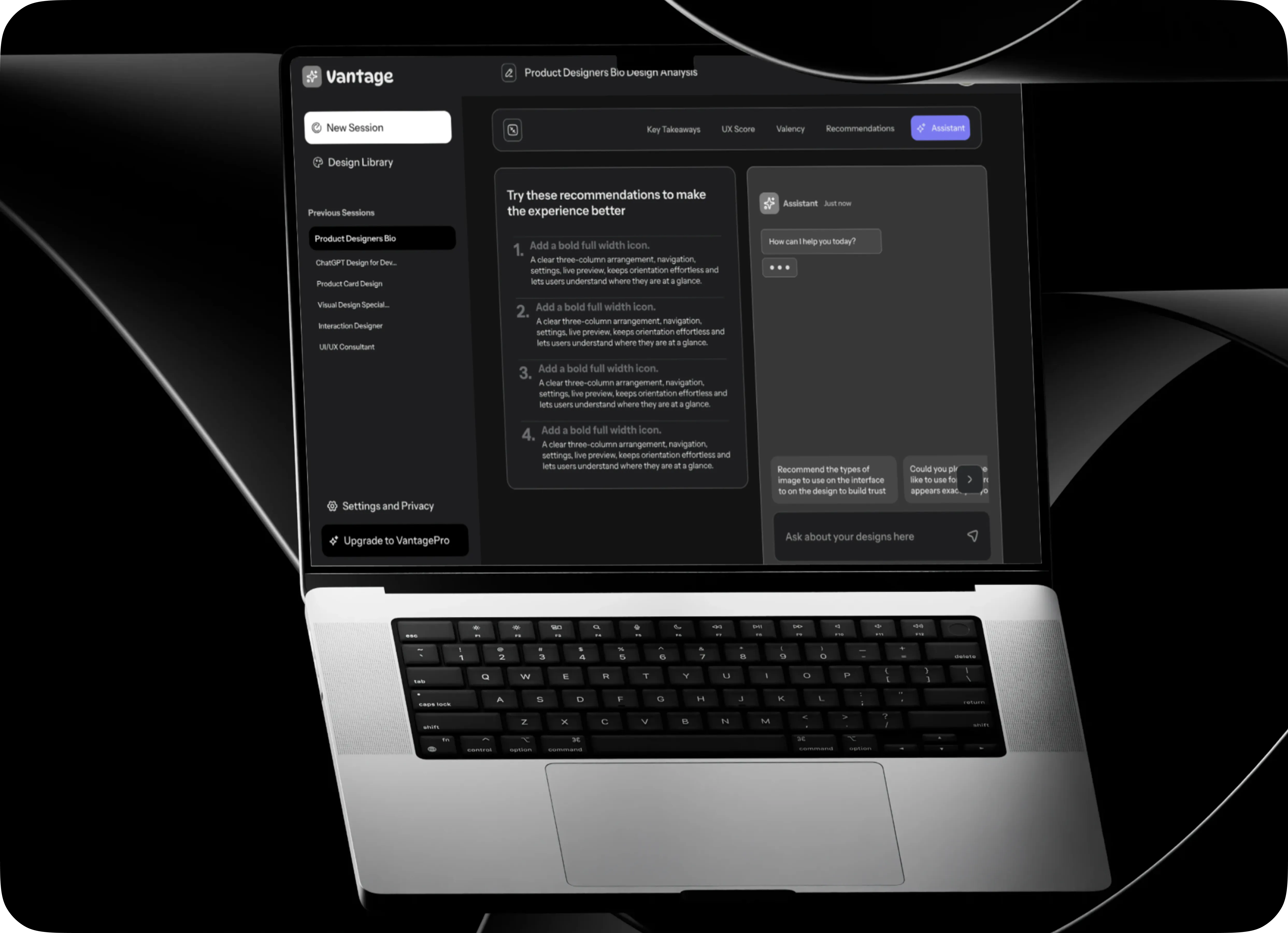
This powerful tool shifts from seeing problems to fixing them. It structures feedback, highlights key issues, and guides designers with prioritized recommendations. This transforms static design into a living critique system, enabling systematic improvement.

Smart Recommendations screen — ranked fixes for a design
04

AI Assistive Partner

The AI Assistant chat serves as a real-time partner for designers. Users can ask questions like “Why is this a problem?” or “How can I improve accessibility?”, receiving instant, tailored answers. This reduces reliance on mentorship and speeds up decision-making, helping designers gain clarity.

AI Assistive Partner screen — conversational design feedback
05

Structured Workspace and Design Library

This Design Library is the hub for all user projects. It provides a clear view of past and ongoing work, allowing easy revisits and analysis. Projects are structured as visual cards, reducing navigation friction and chaos. It promotes continuity, making design an iterative process where users can track progress and refine projects.

Knowledge Transfer Guidance Best Practices
Design Library screen — saved designs and review history

Thanks for reading